PUB Manual
 |
OverviewPUB was an early scriptable markup language. It was similar in concept to today's web scripting languages, especially PHP and JavaScript. But, like Microsoft Word, its purpose was to create paginated documents. PUB was the brainchild of Les Earnest (also see his own page) of the Stanford Artificial Intelligence Laboratory. Under his direction, I designed the language and implemented the compiler in 1971. It ran on the Digital Equipment Corporation (DEC) PDP-10. PUB's intended users were computer programmers working at the AI Lab. The brand new ARPANET made it easy to transmit the PUB application, source code, and documents to other research universities, several of which had PDP-10 systems. In the next few years, dozens of Ph.D. candidates around the U.S. chose PUB to format their dissertations. Russ Taylor of Stanford modified the open source to add support for the Information International Inc. FR-80 Microfilm Recorder. Rich Johnsson of Carnegie-Mellon University (CMU) did the same for the Xerox Graphics Printer (XGP), a predecessor to the laser printer. Examples of documents which used PUB:
PUB offered considerable power. But its target audience was small. The software was ridden with quirks that only became apparent after running the compiler and examining the output. At least two PUB users reacted to these shortcomings by developing a better language. Brian Reid, then at CMU, developed Scribe for nontechnical users. He implemented the first version (Cafe) entirely in PUB (see "Chapter 9: An Evaluation of the System" on page 110 of Scribe: A Document Specification Language and Its Compiler). Don Knuth developed TeX for authors of mathematical texts. The solution I favored was what we would now call a WYSIWYG interactive text editing and page layout system. I felt that, if the effect of any change was immediately apparent, users would feel more in control. I soon left Stanford to pursue my dream at Xerox PARC (1973-80) and Apple Computer (1980-1997). In 1980, Les Earnest founded Imagen, a pioneering desktop publishing company. He sold it to QMS in 1987. PUB is all but forgotten. It is not even mentioned in most histories of Scribe and TeX. But its reinventions, JavaScript and PHP, have become indispensible in the world of web authoring. As such, history has confirmed what Les postulated at least as early as 1971: built-in markup tags will never be able to handle the variety of formatting effects that authors and publishers require. To achieve effects that a markup language designer could not have anticipated, a powerful scripting language should be provided. |
STANFORD ARTIFICIAL INTELLIGENCE PROJECT                  AUGUST 1972
OPERATING NOTE 70


                                 PUB

                        The Document Compiler


                                 by

                            Larry Tesler


ABSTRACT:

PUB  is  an  advanced  text  justifier  and  page  formatter intended
primarily for use by programmers.  It can automatically number pages,
sections, figures,  footnotes, etc.  and can  print their  numbers in
roman numerals as well as  in digit or letter form.  It  can generate
cross references,  tables of contents,  and indexes.  Page  layout is
flexible,  and  allows  multiple  column  output.    Line  formatting
includes tabs, underlining, superscripts, subscripts,  centering, and
justification.   Macros programmed  in a  SAIL-like string-processing
language can generate text to be printed in the document.  The output
of the compiler is  a file which can  be printed on the  terminal, on
the line printer, or on microfilm.


ACKNOWLEDGMENTS:

Les  Earnest  created  the  concept  of  the  Document  Compiler  and
specified most of its capabilities.

Dan  Swinehart  provided  invaluable advice  and  aid  throughout the
development of PUB.

Russ Taylor programmed the FR-80 preprocessor.
|
SAIL was an acronym with two meanings: Stanford Artificial Intelligence Laboratory and Stanford Artificial Intelligence Language. The SAIL language (see original manual and CS-TR-73-373 report) was a dialect of Algol-60. I worked at SAIL, the lab, as a consultant in 1967, and as an employee of Kenneth Colby, M.D., from 1968 to mid-1970. Around 1968, Jim Warren and I were laying out the Midpeninsula Free University catalog using traditional cut-and-paste methods, i.e., with scissors and glue. I had been involved in computer animation since 1962 when I worked on the Stanford Card Stunt Program. I had used graphic displays since at least 1963 when the LINC came to Stanford. I had recently seen a demo of Doug Engelbart's hypertext system, NLS. It was obvious to me that cut-and-paste would eventually be done using a computer display and something like a mouse. I mentioned this thought to Jim, who knew nothing about computers at the time. He asked to visit SAIL, where I showed him the facility and such toys as Steve Russell's SpaceWar!, the first video game. That visit led to Jim's entry into the computer industry. For me, it reinforced a desire to make interactive page layout a reality. In 1970, I became disillusioned with the slow pace of artificial intelligence research. I took almost a year off from the industry. When I returned in the spring of 1971, I asked if I could work on something unrelated to AI. Prof. John McCarthy, inventor of LISP and academic leader of the lab, sent me to Les Earnest, the lab's administrative head. Les suggested a few possible projects. The one that interested me the most was his idea for a document compiler for technical manuals. I told Les that I'd rather implement an interactive layout system for a broader audience. He persuaded me that the document compiler should come first. I felt I'd learn useful things, and I needed the job, so I agreed. Les specified the general approach and most of the features. As I designed and implemented PUB, I naturally put my own spin on it. Once people began using it, features were driven mainly by user feedback. I released the first version of PUB around September, 1971. The implementation language was SAIL, and the syntax of the scripting language was as SAIL-compatible as I could manage. Les deserves credit for the strengths of PUB, and I the blame for its quirks. |
SAILON-70                        PUB                           Page i


                          TABLE OF CONTENTS
                          ----- -- --------

SECTION                                                          PAGE


1        INTRODUCTION

              1.1       PURPOSE     .  .  .  .  .  .  .  .  .  .  . 1
              1.2       CAPABILITIES   .  .  .  .  .  .  .  .  .  . 1
              1.3       OPERATION   .  .  .  .  .  .  .  .  .  .  . 2
              1.4       COMPILER OUTPUT   .  .  .  .  .  .  .  .  . 4
              1.5       READING THIS MANUAL  .  .  .  .  .  .  .  . 5
              1.6       TUTORIAL FOR BEGINNERS  .  .  .  .  .  .  . 5
              1.7       SAMPLE COMPILATION   .  .  .  .  .  .  .  . 9


2        TEXT CONVENTIONS

              2.1       ILLEGAL CHARACTERS   .  .  .  .  .  .  .   13
              2.2       COMMAND AND TEXT LINES  .  .  .  .  .  .   13
              2.3       PARAGRAPHING   .  .  .  .  .  .  .  .  .   14
              2.4       FILL MODE   .  .  .  .  .  .  .  .  .  .   14
              2.5       JUSTIFICATION  .  .  .  .  .  .  .  .  .   14
              2.6       BREAKING AT BLANK LINES .  .  .  .  .  .   15
              2.7       BREAKING AT TABS  .  .  .  .  .  .  .  .   15
              2.8       BREAKING AT CARRIAGE-RETURNS  .  .  .  .   15
              2.9       NOFILL MODE .  .  .  .  .  .  .  .  .  .   15
              2.10      HORIZONTAL SPACE COMPACTION   .  .  .  .   16
              2.11      VERTICAL GROUPING .  .  .  .  .  .  .  .   17
              2.12      MODE AND SWITCH SETTING COMMANDS .  .  .   17
              2.13      WORD BREAKS .  .  .  .  .  .  .  .  .  .   18
              2.14      CONTROL FUNCTIONS .  .  .  .  .  .  .  .   18
              2.15      CONTROL CHARACTER ACTIVATION  .  .  .  .   21
              2.16      COMPUTED TEXT  .  .  .  .  .  .  .  .  .   23


3        MACROS

              3.1       CALLING A MACRO FROM A COMMAND LINE .  .   25
              3.2       CALLING A MACRO FROM A TEXT LINE .  .  .   25
              3.3       TEMPLATES   .  .  .  .  .  .  .  .  .  .   26
              3.4       MACRO DECLARATION .  .  .  .  .  .  .  .   27
              3.5       MACRO CALLS .  .  .  .  .  .  .  .  .  .   27
              3.6       OMISSIONS   .  .  .  .  .  .  .  .  .  .   28
              3.7       RECURSIVE MACROS  .  .  .  .  .  .  .  .   29
|
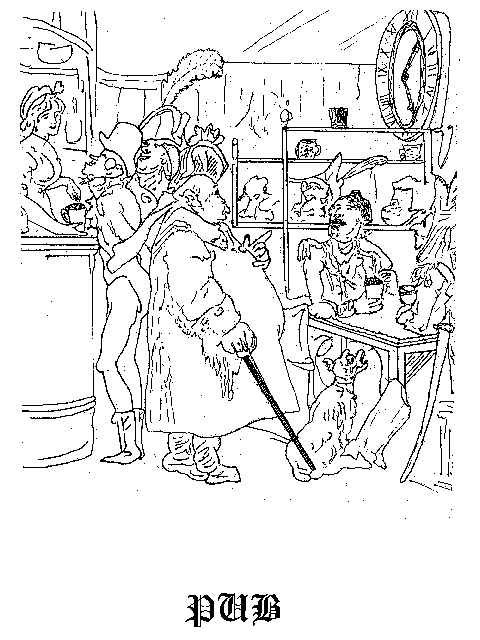
About this manualTo navigate the manual, scroll down, or use the links in the table of contents and index. Many, but not all, pages have commentary alongside. The original PUB manual contained no links. PUB did not support hypertext. Its purpose was to generate printed documents. The manual was first produced in late 1971. The manual reproduced here is a 1972 revision that included documentation of a few added features, including output to the FR-80. The character set of the SAIL keyboard and display was not fully supported by the lab's high-speed impact printer. In the hard copy manual, I had to hand print some non-ASCII characters. For this HTML reproduction, I have translated those characters to Unicode. I have also corrected a number of typos in the text and examples. The cover image is a Hieronymous Bosch woodcut of an English pub. I found the image in 1971 in an off-copyright book in the Stanford Library. It became the cover of the hard copy version of the manual. We had no way to incorporate the image into the digital version. The digital version of the manual survived thanks to Bruce Baumgart, who laboriously transferred all SAIL backup tapes from the period 1972 to 1990 into a web-based archive. At the time of this writing, February 2005, Bruce is an employee of The Internet Archive, and plans to add the SAIL archive to their holdings. The manual was, naturally, produced in PUB. We have not yet located the source code, but expect to find it soon. It took considerable JavaScript and CSS machinations to emulate the behavior of SAIL's line printer in HTML. The manual is best viewed in Microsoft Internet Explorer for Windows, FireFox, or Safari. In older browsers, you may see mispositioned characters as well as numerous backquotes where there ought to be spaces. Even in the recommended browsers, many non-ASCII characters will appear too wide.
|
Page ii                 TABLE OF CONTENTS                   SAILON-70


4        EXPRESSIONS

              4.1       DATA TYPE   .  .  .  .  .  .  .  .  .  .   30
              4.2       VARIABLES   .  .  .  .  .  .  .  .  .  .   30
              4.3       AUTOMATICALLY DECLARED VARIABLES .  .  .   31
              4.4       SIMPLE EXPRESSIONS   .  .  .  .  .  .  .   32
              4.5       GENERAL EXPRESSIONS  .  .  .  .  .  .  .   33
              4.6       CONSTANTS   .  .  .  .  .  .  .  .  .  .   34


5        STATEMENTS

              5.1       STATEMENT TYPES   .  .  .  .  .  .  .  .   35
              5.2       BLOCK       .  .  .  .  .  .  .  .  .  .   35
              5.3       COMPOUND STATEMENT or CLUMP   .  .  .  .   35
              5.4       ONE PARAGRAPH SCOPE  .  .  .  .  .  .  .   36


6        DECLARATIONS

              6.1       SCOPE       .  .  .  .  .  .  .  .  .  .   37
              6.2       MODE DECLARATIONS .  .  .  .  .  .  .  .   37
              6.3       TABS DECLARATION  .  .  .  .  .  .  .  .   37
              6.4       INDENT DECLARATION   .  .  .  .  .  .  .   38
              6.5       PREFACE DECLARATION  .  .  .  .  .  .  .   39
              6.6       DOUBLE SPACING .  .  .  .  .  .  .  .  .   39
              6.7       AREA DECLARATION  .  .  .  .  .  .  .  .   39
              6.8       MARGIN CONTROL .  .  .  .  .  .  .  .  .   40
              6.9       PLACE DECLARATION .  .  .  .  .  .  .  .   42
              6.10      TEMPORARY AREAS   .  .  .  .  .  .  .  .   42
              6.11      COUNTER DECLARATION  .  .  .  .  .  .  .   43


7        IMPERATIVES

              7.1       ASSIGNMENT STATEMENT .  .  .  .  .  .  .   45
              7.2       CONDITIONAL STATEMENT   .  .  .  .  .  .   45
              7.3       NEXT COUNTER VALUE STATEMENT  .  .  .  .   45
              7.4       NEXT PAGE STATEMENT  .  .  .  .  .  .  .   47
              7.5       HEADINGS AND FOOTINGS   .  .  .  .  .  .   48
              7.6       SECTIONING  .  .  .  .  .  .  .  .  .  .   48
              7.7       COMMAND CHARACTER STATEMENT   .  .  .  .   49
              7.8       PORTION DEMARCATION  .  .  .  .  .  .  .   49
              7.9       SEND STATEMENT .  .  .  .  .  .  .  .  .   50
              7.10      RECEIVE STATEMENT .  .  .  .  .  .  .  .   52
              7.11      REQUIRE STATEMENT .  .  .  .  .  .  .  .   53
              7.12      SKIP STATEMENTS   .  .  .  .  .  .  .  .   53
              7.13      PAGE FRAME STATEMENT .  .  .  .  .  .  .   55
|
Antecedents and contemporariesPUB was by no means the first computer-based markup language. In 1963, Jerry Saltzer developed RUNOFF, the first known computer-based system in which an author could insert markup codes into a digital manuscript and run the file through a markup processor to generate a formatted document. Around the same time, inspired by a demo of RUNOFF or a similar program, John Seybold founded a typesetting service bureau, ROCAPPI (1963-70). ROCAPPI is said to have developed powerful editing and layout systems and even a form of generic markup. RUNOFF spawned Joe Ossanna's troff/nroff (1973), later enhanced by Brian Kernighan, co-developer of Unix and C, and still popular on Unix systems. IBM's SCRIPT, released circa 1967, had a similar syntax to RUNOFF. By 1974, SCRIPT had spawned the PUB-like NSCRIPT and Waterloo Script, as well as the generalized markup language, GML. Before GML, most markup was specific, e.g., indent the next line 3 spaces. In GML, which was conceived in 1969 and realized in 1971, all markup was general, e.g., make the next line a heading. A document thus prepared could be formatted for different page sizes, different output devices, etc., without altering the markup. GML was concerned with the syntax of a document type, which it expressed in a standardized form, the document type definition or DTD. The syntactic rules governing a new structural element could be defined in a DTD. Its implementation required recoding of the markup processing application. PUB, SCRIPT, and other scripted markup languages provided a form of generic markup using macros. In PUB, new elements and new behavior could, in many cases, be defined within the PUB language itself. As stated earlier, Brian Reid's SCRIBE-a complete markup language-was originally implemented in PUB. Similarly, IBM's first version of GML was implemented in SCRIPT. In 1978, Charles Goldfarb, the principal developer of GML, joined with other advocates of generalized markup to begin work on SGML. SGML has become a widely used language for describing industrial documents. In 1990, Tim Berners-Lee chose SGML as the basis for his World Wide Web hypertext language, the original HTML. The success of HTML spawned XML, now (February 2005) the favored format for structured data exchange. Was any feature of PUB without precedent? I do not know enough about the features of similar systems in 1971 to be sure. I am hoping that readers of this manual can help me answer this question. |
SAILON-70                 TABLE OF CONTENTS                  Page iii


              7.14      BREAK STATEMENT   .  .  .  .  .  .  .  .   55
              7.15      CONTINUE STATEMENT   .  .  .  .  .  .  .   55
              7.16      DEVICE STATEMENT  .  .  .  .  .  .  .  .   55
              7.17      UNIMPLEMENTED STATEMENTS   .  .  .  .  .   56


8        COMMENTS


9        LABELS AND CROSS-REFERENCES

              9.1       CROSS-REFERENCES  .  .  .  .  .  .  .  .   59
              9.2       LABELS      .  .  .  .  .  .  .  .  .  .   60


10       RESPONSES

              10.1      TEXT RESPONSES .  .  .  .  .  .  .  .  .   63
              10.2      TRANSITION RESPONSES .  .  .  .  .  .  .   64


11       FOOTNOTES


                             APPENDICES
                             ----------


A        THOROUGHLY EXPLAINED EXAMPLES

              A.1       SECTIONING MACROS .  .  .  .  .  .  .  .   68
              A.2       SAMPLE TABLE OF CONTENTS   .  .  .  .  .   69
              A.3       ONE-LEVEL INDEXES .  .  .  .  .  .  .  .   70
              A.4       TWO-LEVEL INDEXES .  .  .  .  .  .  .  .   72
              A.5       KWIC INDEXES   .  .  .  .  .  .  .  .  .   74


         SUBJECT AND COMMAND INDEX  .  .  .  .  .  .  .  .  .  .    I
|
SAILON-70 PUB Page 1 SECTION 1 INTRODUCTION 1.1 PURPOSE _______ PUB is a compiler which translates a manuscript into a __________ document. ________ A "manuscript" is an SOS file containing the text of a publication interspersed with control characters and commands. The function of the compiler is to arrange ________ this text on formatted pages under the direction of the control characters and commands. Output is written on a ".DOC" file known as the "document". TYPE, SPOOL or PRINT it. Under certain conditions, the document can be edited with TECO (see Section 7.16), but it is wiser to make corrections in the manuscript and then rerun the compiler. MANUSCRIPT →→→→→→→→ DOCUMENT COMPILER 1.2 CAPABILITIES ____________ PUB provides the usual capabilities of a simple text- justifier, including: >Page numbering >Optional justification to the right margin >Centering of titles >Headings and footings >Control of Spacing and Indentation >Underlining In addition, it features advanced documentation capabilities, such as: 1.1 - 1.2 |
TerminologyThe name PUB was short for PUBlication language. The PDP-10 operating system was TENEX, later called TOPS-10. SOS (Son of Stopgap) was a line-oriented text editor. For more information about PUB, SAIL, SOS, and related topics, see Les Earnest's extensive but concise memoire, SAIL Away. TECO was a character-oriented text editor, originally developed in 1962-63 for the DEC PDP-1. Dan Murphy developed TECO and was one of the developers of TENEX. The TENEX TYPE command displayed a file on the terminal, which, at SAIL, was a display that every programmer had on his desk-a rare indulgence at the time. The PRINT and SPOOL commands sent a document to the line printer. "The usual capabilities of a simple text-justifier" refers to preexisting markup processors like RUNOFF. PHP remarkThe advice that "it is wiser to make corrections in the manuscript and then rerun the compiler" would apply today to the HTML output from PHP. |
Page 2 INTRODUCTION SAILON-70 >Columnar output >Footnote placement >Macros >Index Generation >Table of contents generation >Cross-reference to a variable target >Automatic numbering of equations, tables, notes, etc >Superscripts and Subscripts >Microfilm Output The command language is a dialect of SAIL Algol, providing the user with: >Block structure >Conditional command execution >Conditional text inclusion >Arithmetic and String calculations >Embedded Source Files 1.3 OPERATION _________ The compiler is "two-pass". The first pass interprets the manuscript and outputs several intermediate files with extensions ".PUG", ".PUZ", and ".PUI". The second pass is a separate program automatically called which makes one pass through the ".PUI" files and produces the document. The ".PUG" and ".PUZ" files are automatically deleted at the end of Pass One. The ".PUI" files are read by Pass Two, then deleted (unless deletion is waived by a switch setting -- see below). The first pass typically requires 40K of core and runs at the rate of 15 pages per minute. The second pass needs 18K and runs at 50 pages per minute. If the system should crash during Pass Two, and you wish to restart without rerunning Pass One, R PUB2. "R PUB2" also gives you an opportunity to specify a different output device than originally requested. You may run the document compiler with or without RPG. A manuscript file which is ".PUB" or a document file extension which is ".DOC" need not be mentioned. Examples: 1.3 |
TerminologyCore meant magnetic core memory, the prevalent technology before the invention of semiconductor memory. Even today, Unix systems are said to "dump core" to disk when unable to recover from an error. 40K meant 40x1024 words. A PDP-10 36-bit word could hold five 7-bit ASCII characters or four 9-bit SAIL characters. In units of eight-bit bytes, PUB needed 330K of available memory. Why two passes were necessaryThere were several reasons that PUB required two passes. Pass 1 generated front matter such as the Table of Contents that Pass 2 had to output before other pages. Pass 1 determined the targets of cross references so that Pass 2 could fill them in. Pass 1 automatically ran Pass 2, but the user could run Pass 2 separately to generate output for another device. |
SAILON-70 INTRODUCTION Page 3 command typed input file output file switches _______ _____ _____ ____ ______ ____ ________ .COM FOO FOO.PUB FOO.DOC ___ ___ .COM FOO←BAZ`````````````````BAZ.PUB````````FOO.DOC ___ _______ .COM /PUB FOO.OOF←BAZ.ZAB````BAZ.ZAB````````FOO.OOF ___ ____ _______________ .COM /PUB FOO.OOF FOO.OOF FOO.DOC ___ ____ _______ .COM FOO(DN) FOO.PUB FOO.DOC /D /N ___ _______ .R PUB _ ___ *FOO/D/N FOO.PUB FOO.DOC /D /N _______ Do not specify more than one input file nor more than one output file. Multiple input files are handled using the REQUIRE statement (see Section 7.11). WARNING (RPG users): If in addition to file X.PUB you have a file X.SAI (or X.FAI, etc.) and if you type "COM X", RPG will do a SAIL (or FAIL) compilation. SOLUTION: Type "COM X.PUB". FURTHER WARNING (RPG users): If you have a file X.REL which is newer than X.PUB, then RPG won't do any compilation. SOLUTION: Type "COM /COM X.PUB". Presently available switches are: nS Change intra-paragraph line spread: 1S=Single Space, 2S=Double Space, etc B Big Document -- allocates hashed space for 3000 identifiers instead of 1000 H Huge Document -- allocates maximum symbol table space (8191) D DEBUG -- prints approximate source file line numbers alongside the output L Line Printer output planned (Default) M Microfilm output planned (produces FR80 command file -- see Section 7.16) T Terminal output planned (may produce different output than /L) Y Yes! Automatically delete ".PUI" files after Pass 2 (Default) N No! Don't delete them (thus allowing Pass 2 to be re-run with a different DEVICE) A Ask me whether to delete them when it's time. Z Compiler Debug: see compiler (PUB.SAI[2,TES]) 1.3 |
TerminologyREQUIRE was like include in C and other modern languages. RPG was like Unix's make. Tables in PUB vs. HTMLPUB had no element equivalent to HTML's table. Instead, it provided two poorly documented methods of generating a table. To generate a table row by row, the PUB author set tabs stops and inserted tab characters between the cells in each row. That is probably how I made the table on the adjacent page. To generate a table column by column, the author created a temporary area (Section 6.10) and inserted next column commands between columns. Using macros, it was possible to invent a personal notation similar to HTML's table. Whether anyone ever bothered, I do not know. |
Page 4 INTRODUCTION SAILON-70 1.4 COMPILER OUTPUT ________ ______ During Pass one, whenever PUB reads a "Page Mark" or Form Feed, it types out the manuscript page number. During Pass Two, whenever PUB writes a Form Feed, it types out a count of the number of output pages so far. During Pass One, PUB also types out error messages. ```````````````After each``message, an arrow``(→) or a``question mark (?) is typed out. You may then respond as in SAIL. If you are not familiar with SAIL, here is a summary of responses: <CR> Continue compiling after this error. <LF> Continue compiling, and after subsequent errors, continue automatically. NOTE: The above two responses are not valid after "?" E<file><CR> Edit file <file>. E<CR> (RPG only) Edit the manuscript file. S<CR> Start Over. In DEBUG mode (the /D switch), some error messages are also output in the right margin of the document. Whenever PUB prints a line number in an error message or in the right margin of the document, it is of the form: <file id><line no.>/<page no.>[<macro line no.>/<macro page no.>] If the line is from the manuscript, then <file id> is empty. If it is from another file (such as one of those ".PUG" files mentioned above), then <file id> is the first three letters of the first name of that file. If the file is in SOS format, then the <line no.> is always five digits, including leading zeroes if necessary. If it is from a TECO or TVEDIT file, then PUB generates line numbers 1, 2, 3, etc. without leading zeroes. If it is from a ".PUG" file, then the <line no.> is the line number/ page number of a relevant line in your manuscript or in some other source file. If a macro was being expanded, the line number and 1.4 |
TerminologyTVEDIT (1963 or 1965) was a display-oriented text editor originally developed by Brian Tolliver for the Stanford PDP-1. Pentti Kanerva ported it to the PDP-10 around 1969 and made a number of improvements. It was a little less powerful, but more user-friendly, than EMACS (1974).
|
SAILON-70 INTRODUCTION Page 5 page number of its definition are noted within square brackets. The file that contained the definition is not noted, so if can't find it in your manuscript, it probably came from PUBSTD.DFS, the PUB standard macro file, or from one of your REQUIRE files (see Section 7.11). Examples: 02300/10 Manuscript file, page 10, line 2300 (SOS) IND02300/10/1 INDEX.PUG file, page 1, comes from Manuscript 2300/10 PUB25/1 PUB Standard Macro File, Page 1, Line 25 (TVEDIT) 1.5 READING THIS MANUAL _______ ____ ______ This manual is ordered such that as soon as you have learned enough of the system to solve your particular problem, you can skip the rest of the manual. Read at least through Section 2.3 before making any such assumption. In describing the syntax of PUB commands, the following meta-linguistic symbolism is employed: <...> These brackets delimit the name of a syntactic entity [...] These delimit optional components of the command ...|... This character separates alternatives for the same command component Cross-references in this document are always to subsections. Subsection numbers are printed at the bottom of each page. 1.6 TUTORIAL FOR BEGINNERS ________ ___ _________ PUB is a string processing language. Characters can be formed into words, words into lines, lines into paragraphs, paragraphs into columns, columns into "areas" (such as the title areas at the top and bottom of the page), areas into pages, pages into sections, 1.5 - 1.6 |
Page 6 INTRODUCTION SAILON-70 sections into "portions" (such as the Table of Contents or the Appendices), and portions into a document. The methods of bulding larger units from smaller ones are flexible and under control of the programmer. The most trivial use of PUB is to create a document that is exactly identical to the manuscript, adding only headings and footings. PUB assumes that the format of each output page is as follows. The first three lines are a Heading area of which only the first is usually used. The next 48 lines (lines 4 to 51) are the Text area. Line 52 is blank and line 53 is a Footing area. The Footing area is for page numbers and other reference information, not for footnotes. (Footnotes are placed inside the Text area, towards its bottom). The width of each page is assumed to be 69 characters. It is assumed that there is only one column of text output. Therefore, the longest an output line can be is 69 characters. The number of lines in each area, the number of columns of text, and the number of characters in each column may be changed by declaration. See Section 6.7 and Section 7.13 for details. If all you want to do is widen the page, e.g., to 75 characters, then make the following line the first of the manuscript: .PAGE FRAME 53 HIGH 75 WIDE The "Dot" in column one indicates that this line is a Command Line for PUB to obey and should not be printed in the document. If you would rather a different character in column one served for this purpose, see Section 2.2. PUB assumes that you want no headings and footings. It will leave the heading and footing areas blank unless you specify otherwise. The simplest way to specify headings and footings is with the standard macros "EVERY HEADING" and "EVERY FOOTING". These macros can specify a title for the left edge, center, and right edge of the heading area and the footing area. For example, the macro call: .EVERY HEADING(PRELIMINARY REPORT,PARACYBERNETIC PHENOMENA,1972) 1.6 |
The Document Object Model (DOM)PUB did not have a document object model as powerful as that of DHTML. But it did have a hierarchy of elements, at the top of which were portions. Portions were major document divisions like the Table of Contents, the main body of text, and the Index. Like JavaScipt, PUB offered the ability to append text, with or without markup, to elements. PUB offered both a simple and a fancy method of appending to elements. In the simple method, text without markup (i.e., after markup had been applied) was appended to the current line, lines were appended to the current paragraph, etc., up the hierarchy to the current portion. Today, pure HTML without scripts operates the same way. In the fancy method, one portion, usually the main body of text, sent text with unapplied markup to another portion. For example, the main body could send an entry to the Table of Contents, Bibliography, or Index. In pass 2, the receiving portion processed the markup as if it had been part of its original source code. In JavaScript today, a similar process applies when a script uses the writeln function to add markup to a related document in a frame. The PUB compiler had no predefined notion of a table of contents, bibliography, or index. The author could define as many portions as desired, with their format and structure determined by the script and the markup. Page layout in PUB vs. RUNOFFInstead of PUB's page frame, RUNOFF had distinct line length and paper length commands. In RUNOFF, the header command took one argument. Alignment was determined by a separate heading mode command. The page command and its partner, paging mode, controlled the printing of page numbers. PUB combined and generalized these facilities. The dot conventionThe dot convention originated in RUNOFF. Successors such as SCRIPT, GML, and troff followed suit. Commands had to start on a new line. PUB supported both command lines that began with a dot and intra-line switching between command mode and text mode. TeX (1978) and SGML (1986) dropped the dot convention completely, and allowed markup to appear anywhere. |
SAILON-70 INTRODUCTION Page 7 will print on the top line of every page the three titles shown. To make the top line of every page display the title "PRELIMINARY REPORT" on the left and the current date on the right, use: .EVERY HEADING(PRELIMINARY REPORT, ,{DATE}) The consecutive commas indicate that the center is empty. The curly brackets around the word DATE specify that DATE is not a title to be printed but rather a variable to be evaluated. To make the number of each page appear bottom center, use: .EVERY FOOTING(,{PAGE},) To learn about fancier headings and footings, you will have to read most of this document, especially Section 7.5 and Section 10.2. PUB will number your pages 1, 2, 3, etc. unless you declare otherwise. To learn how, see Section 6.11. A new page of output will be started for one of two reasons: the previous page is full, or a page-changing command is executed. The most common page-changing command is: .NEXT PAGE This always starts a new page, even if one was just started and nothing is on it yet. To start a new page only if there is something on the current page, use: .SKIP TO COLUMN 1 To leave a few blank lines in the document, use: .GROUP SKIP 10 The SKIP command is described in Section 7.12. PUB processes text a paragraph at a time. The usual way to indicate the end of a paragraph in your manuscript is by a blank line (that is, just a CR and LF). Oher ways are discussed elsewhere in this manual, beginning at Section 2.3. Usually, PUB packs a paragraph as tightly as possible by filling up each output line with words before 1.6 |
More about page layout in PUB vs. RUNOFFRUNOFF supported header text but not footer text. PUB symmetrically supported both. The RUNOFF equivalent to next page was begin page. I adopted next x as a uniform way to start a new element at any level of the hierarchy. Unlike RUNOFF, PUB supported multiple columns per page. But the word column in the skip to column command referred to character position, i.e., distance from the left margin. One application of the group skip command was to leave space for a hand-pasted illustration. |
Page 8 INTRODUCTION SAILON-70 beginning a new line. This is called "filling". Then PUB inserts extra spaces between words to eliminate a ragged right edge from the paragraph. This is called "justifying". PUB will not indent the first line of paragraphs unless an indent command appears in the manuscript, e.g.: .INDENT 6 To learn more about indentation and related matters, see Section 6.4 through Section 6.7. PUB assumes you would like your text lines filled out and justified. You can selectively exempt blocks of your manuscript from this fate. Each such block must be delimited by ".BEGIN" and ".END". After "BEGIN", specify a formatting mode to persist for the duration of the block. Examples: Fill, but don't Justify Don't even fill Copy verbatim _____ ___ _____ _______ _____ ____ ____ ____ ________ .BEGIN NOJUST .BEGIN NOFILL .BEGIN VERBATIM ... ... ... .END .END .END In "NOJUST" mode, lines will be filled but not justified. In "NOFILL" and "VERBATIM" modes, they will not even be filled. The difference between NOFILL and VERBATIM is that VERBATIM is both faster and dumber. It is faster because it copies the lines of the manuscript to the document without looking at them, except to see if there is a dot in column one. It is dumber because it does not recognize text control characters that PUB normally recognizes, and it does not reformat in any way. Thus, VERBATIM is used to copy blocks of manuscript that are arlready formatted perfectly. Filling allows the manuscript to be quite ragged, a great convenience in editing. Short lines are lengthened and long lines are shortened. Be careful in NOFILL or VERBATIM mode that no manuscript line is longer than 69 characters (or whatever limit you have declared), or some of it will be lost and an error message given. 1.6 |
Paragraph styles in PUB vs. RUNOFF and vs. CSSIndent was lifted directly from RUNOFF. The CSS equivalent is the text-indent attribute. Adjust, nojust, fill and nofill were also lifted from RUNOFF. The corresponding attribute in CSS is text-align. Verbatim's effect was less like HTML's pre than its deprecated xmp. |
SAILON-70 INTRODUCTION Page 9 1.7 SAMPLE COMPILATION ______ ___________ You now know enough to use PUB for simple purposes. The next three pages show a sample manuscript and the document that PUB produced from it. 1.7 |
Page 10 INTRODUCTION SAILON-70 .EVERY HEADING(DAN MATION,PARACYBERNETIC PHENOMENA,{DATE}) .EVERY FOOTING(,{PAGE},) .INDENT 6 .BEGIN VERBATIM .GROUP SKIP 20 PARACYBERNETIC PHENOMENA BY DAN MATION .END .NEXT PAGE It has been observed that the Sigma 3 in Horsetown, Mass. and the CDC 6600 in Liverless, Cal. tend to have parity errors at the same time. When records were compared by Miss Minnie Messer, Director of the Horsetown Chamber of Commerce Computation Facility, and Mr. Solomon Crunch of Liverless Hospital's Organ-Transplant Inventory Project, it was shown that the correlation of parity error occurrences was 0.8, with a probability of random coincidence of <.00000001. Miss Messer and Mr. Crunch revealed these discoveries at the Universal Users Union meeting in Cranchville, Tenn. after they arrived two hours late for Mr. Crunch's scheduled talk there. They said that in the excitement of discovery the meeting slipped their minds. This report has motivated this author to undertake a wider survey to determine if similar phenomena have occurred elsewhere. The author has solicited Miss Messer's assistance in this survey, but without the cooperation of the entire computing community, it is unlikely that sufficient data can be collected. Therefore, we request that interested parties tabulate the exact times of occurrence of parity errors on their computer during the 7 day period 1200 April 18 to 1200 April 25 and send it to: .BEGIN NOFILL Paracybernetic Society c/o Dan Mation Boise Institute of Technology Boise, Idaho .END Results of the study will be presented at the next UUU meeting in December. |
DAN MATION            PARACYBERNETIC PHENOMENA        January 15,1972


                        PARACYBERNETIC PHENOMENA


                             BY DAN MATION


                                  1
|
DAN MATION            PARACYBERNETIC PHENOMENA        January 15,1972


      It has been observed that  the Sigma 3 in Horsetown,  Mass. and
the CDC  6600 in Liverless,  Cal. tend to  have parity errors  at the
same  time.   When  records  were  compared  by  Miss  Minnie Messer,
Director of the  Horsetown Chamber of Commerce  Computation Facility,
and  Mr.  Solomon  Crunch  of  Liverless  Hospital's Organ-Transplant
Inventory Project, it was shown that the correlation of  parity error
occurrences  was 0.8,  with a  probability of  random  coincidence of
<.00000001.

      Miss Messer  and Mr. Crunch  revealed these discoveries  at the
Universal  Users  Union  meeting  in  Cranchville,  Tenn.  after they
arrived two hours late  for Mr. Crunch's scheduled talk  there.  They
said that in  the excitement of  discovery the meeting  slipped their
minds.

      This  report has  motivated this  author to  undertake  a wider
survey  to determine  if similar  phenomena have  occurred elsewhere.
The author has solicited Miss Messer's assistance in this survey, but
without  the cooperation  of the  entire computing  community,  it is
unlikely  that  sufficient  data  can  be  collected.   Therefore, we
request  that  interested   parties  tabulate  the  exact   times  of
occurrence of parity errors on their computer during the 7 day period
1200 April 18 to 1200 April 25 and send it to:

              Paracybernetic Society
              c/o Dan Mation
              Boise Institute of Technology
              Boise, Idaho

      Results of the study will be presented at the next  UUU meeting
in December.


                                  2
|
SAILON-70 PUB Page 13 SECTION 2 TEXT CONVENTIONS 2.1 ILLEGAL CHARACTERS _______ __________ If the following characters occur in the manuscript, they may cause problems: '177 Rubout '175 Altmode '13 Vertical Tab These characters are ignored in the manuscript: '0 Null '14 Form Feed (except after LF, where it is a page mark) A manuscript prepared using SOS or TVEDIT is legitimate if it has no vertical tabs. If it is prepared using TECO, be sure as well that every line ends with CR LF. Tabs are expanded to the appropriate number of spaces, as in the line editor. 2.2 COMMAND AND TEXT LINES _______ ___ ____ _____ Every line with a dot (".") in column 1 is processed as a command line. Every other line is processed as a _______ ____ text line. ____ ____ If you would prefer a different character to introduce command lines, e.g., $, use the command: COMMAND CHARACTER "$" ; 2.1 - 2.2 |
Special charactersThe single quote character in SAIL and in PUB introduced an octal number. |
Page 14 TEXT CONVENTIONS SAILON-70 2.3 PARAGRAPHING ____________ The text is processed in logical units called "paragraphs". A paragraph is the accumulation of words from one or more text lines, terminated by the occurrence of a paragraph break. _________ _____ A paragraph break can be caused by the command BREAK _________ _____ as well as by several other commands. In addition, a paragraph break can be caused by signals in the text. Paragraphing conventions can be varied by the use of various mode and switch settings. 2.4 FILL MODE ____ ____ In FILL mode, the compiler puts as many words as can fit on each output line before beginning a new line -- each line is "filled" with words. For convenience of exposition, names have been given to the parts of the output paragraph in FILL mode. The first line is called the crown, and the rest of _____ the lines are called the vest. It is common to indent ____ the crown and not the vest, or vice versa, or to indent them different amounts. The last line of the vest is called the hem. While the other lines of the ___ paragraph can be subject to justification, the hem line is never justified. 2.5 JUSTIFICATION _____________ In FILL mode, whether or not output lines are justified to the right margin is determined by the setting of the "ADJUST-NOJUST" switch; but the hem line is never justified in any case. 2.3 - 2.5 |
TerminologyTerms I coined like crown, vest, and hem never caught on. Paragraph breaksRUNOFF and PUB: .break
HTML: <br>
FILL modeRUNOFF and PUB: .FILL
Lines of text up to a negating command such as: .NOFILL DHTML: <div style="text-align: left;">
Lines of text </div> JustificationRUNOFF: .ADJUST
Lines of text up to a negating command such as: .NOFILL PUB: .ADJUST
Lines of text up to a negating command such as: .NOJUST DHTML: <div style="text-align: justify;">
Lines of text </div>
|
SAILON-70 TEXT CONVENTIONS Page 15 2.6 BREAKING AT BLANK LINES ________ __ _____ _____ In FILL mode, a BREAK is caused by every blank line (just CR-LF). Redundant blank lines have no effect. To disable this response, see Section 10.1. 2.7 BREAKING AT TABS ________ __ ____ Tabs are converted to an appropriate number of spaces by PUB. If you would like a single tab at the beginning of a text line to cause a paragraph break, put this command at the beginning of your manuscript: .TABBREAK This makes text lines that are indented exactly 8 spaces cause a break. Since an initial TAB is converted to 8 spaces, it will also break. The inverse of TABBREAK is TABSPACE. 2.8 BREAKING AT CARRIAGE-RETURNS ________ __ ________________ In FILL mode, PUB usually converts every carriage- return at the end of a text line to a space. If it is at the end of a sentence, it converts the carriage- return to two spaces. If you would rather that every carriage-return ending a text line caused a paragraph break, use this command: .CRBREAK The inverse of CRBREAK is CRSPACE. 2.9 NOFILL MODE ______ ____ In NOFILL mode, one input line produces one output line, even if it falls far short of the right margin; if the line is too long, characters will be lost. Every carriage-return ending a text line in NOFILL 2.6 - 2.9 |
White space in PUB vs. HTMLWhite space interpretation differed significantly from HTML. NOFILL modeRUNOFF and PUB: .NOFILL
Lines of text up to a negating command such as: .FILL HTML approximation: <pre>
Lines of text </pre> |
Page 16 TEXT CONVENTIONS SAILON-70 mode causes a paragraph break. The commands ADJUST, CRSPACE, and TABBREAK do not affect this mode. NOFILL mode has several variations, which differ mainly in the final treatment of the output line: NOFILL: (Standard variation) No special treatment. CENTER: Center the output line between the margins. FLUSH RIGHT: Shove it against the right margin. FLUSH LEFT: Shove it against the left margin. JUSTJUST: Justify it by the insertion of spaces. VERBATIM: Copy text lines to output exactly as written, without changing ```indentations.``Ignore all control characters {α↑[#]&↓β\∂-∞←→. Dot in column 1 still signals a command line. This mode speeds text processing when no formatting is needed. SUPERIMPOSE [n]: Suppress the LF after each line, except every n'th line. < ↑ < ! ≡ ∩ ⊂ ~ % 7 Z | ↓ > ? / ∪ ⊃ . \ - - 2.10 HORIZONTAL SPACE COMPACTION __________ _____ __________ In COMPACT mode, redundant spaces in the input line are discarded. In RETAIN mode, they are retained. More precisely, in COMPACT mode, a sequence of two or more spaces is reduced to one space, except at the end of a sentence, where it is only reduced to two spaces, and at the beginning of a text line, where all spaces are discarded. Of course, spaces may be re-inserted during justification. 2.10 |
CENTER modeRUNOFF: .CENTER
One line of text to center .CENTER Another line of text to center PUB: .CENTER
Lines of text up to a negating command such as: .FILL HTML: <center>
Lines of text </center> DHTML: <div style="text-align: center;">
Lines of text </div> SUPERIMPOSE modePUB: .SUPERIMPOSE 2
X ~ 7 X . - DHTML: <pre>
X ~ 7 <div style="position:relative; top:-1.2em;"> X . - </div> </pre> COMPACT and RETAIN modesThere is no exact equivalent in other markup languages of which I am aware. |
SAILON-70 TEXT CONVENTIONS Page 17 2.11 VERTICAL GROUPING ________ ________ In GROUP mode, all output lines are forced to appear in an unbroken column. Its inverse is APART mode. If the bottom of the output page is encountered while in GROUP mode, the whole group is moved to the top of the next column or page. It is unwise to use GROUP mode for more than a few lines that must appear undivided in the output. Example: .GROUP EQUATION 6 m = vt .APART This would prevent "Equation 6" from appearing at the bottom of one page and "m = vt" at the top of the next. 2.12 MODE AND SWITCH SETTING COMMANDS ____ ___ ______ _______ ________ The commands that select the paragraphing mode are FILL, NOFILL, CENTER, FLUSH RIGHT, FLUSH LEFT, JUSTJUST, VERBATIM, and SUPERIMPOSE [n], where n [optional] is any "SAIL" expression. The commands ADJUST and NOJUST set the FILL-mode justification switch. TABBREAK, TABSPACE, CRBREAK, and CRSPACE control the reaction to initial tabs and to carriage-returns in FILL mode. The commands RETAIN and COMPACT, GROUP and APART select the space compaction and column grouping modes. At the outset of compilation, the settings in force are: .FILL ADJUST TABSPACE CRSPACE RETAIN APART WARNING: Switching to NOFILL or to any of its variations automatically switches to RETAIN mode. This can be overridden by following the command by COMPACT. 2.11 - 2.12 |
Pagination in PUB vs. HTMLGrouping and many other features of PUB were concerned with pagination, a non-concept in HTML. Naming inconsistencies in PUBThe group/apart pairing was one example of inconsistent naming that made PUB hard to learn. In my original design, all open/close pairs were consistently named, e.g., GROUP and NOGROUP. Paul Heckel paid me a visit one day in 1971 to inform me that someone had hired him to develop software whose functionality was between that of RUNOFF and PUB. He begged me to make my command suite a superset of his. I foolishly succumbed to the pressure. Ironically, Paul's project was canceled before I completed PUB. If he had informed me, I could have restored parsimony.
Elements and TagsLike RUNOFF and GML, and unlike SGML and HTML, PUB had no uniform tag syntax with which to bracket elements. |
Page 18 TEXT CONVENTIONS SAILON-70 2.13 WORD BREAKS ____ ______ The compiler processes the input paragraph in units called words. A "word" is roughly defined as a _____ sequence of consecutive visible characters. More precisely, the compiler concatenates characters into a word until the occurrence of a word break. ____ _____ A word break is normally signalled by any of the following in a text line: >A space (or a sequence of spaces) >A carriage-return (the end of an input line) >The control character β, if activated (as well as some others) Word breaks serve two functions. (1) FILLING: In generating an output paragraph, the compiler puts as many words as can fit on each line before beginning a new line. The paragraph will only be divided for this purpose at word breaks. (2) JUSTIFYING: During justification, extra spaces will only be inserted at word breaks. 2.14 CONTROL FUNCTIONS _______ _________ Several control functions can be invoked by control characters in the text line. The user can choose the characters he wishes to serve these functions. For simplicity of exposition, a suggested character has been designated for each function. The following control functions are available. If the description states: "BLA mode only", then in other modes, the character is treated no differently than an alphanumeric. ``````````β````````Cause a word βreak. ``````````α````````Pretend the``next character is``αlphanumeric (this lets you slip in control characters); ``````````#````````Same as α <space>; sneaks spaces into words. 2.13 - 2.14 |
Special characters in PUBα in PUB served the same purpose as backslash ( \ ) in many modern languages. It escaped the next character. # was like (non-breaking space) in HTML. PUB's reliance on non-ASCII SAIL characters like β as language delimiters was a barrier to widespread adoption. |
SAILON-70 TEXT CONVENTIONS Page 19 . ! ? FILL mode only, and only at the end of a word: marks the end of a sentence. This means: (1) If followed by two or more spaces, COMPACTion only reduces the spaces to two instead of one. (2) If followed by a carriage-return, replaces the CR by two spaces instead of one. - FILL mode only, and not the first character of a word: a hyphen. This means: (1) If at the end of a line, prevents the word break that usually occurs there. (2) Otherwise, permits the word to be broken after the hyphen in case it overfills the output line. \ TAB. Insert spaces up to the next tab stop set by the TABS command (see Section 6.3). ``````````∂+n``````MOVE RIGHT.``Leave n spaces in the output line. ``````````∂-n``````MOVE``LEFT```n characters.``Create``new characters (these due to Jerry Agin): ~ ~ O O ~ ``````````````````````````````````````````≥ ( - | V. ``````````∂n```````TAB.``Insert``spaces up to``but not``including the n'th character position from the left margin (flush ```````````````left is n=1). ``Both kinds of``TAB (\ and``∂n) inhibit insertion of all justification spaces to their left. ```````````````````For ∂n``and``∂+n, n``may be any``"SAIL" expression enclosed in parentheses. In the case of a single letter variable or a one-digit number, the parentheses ```````````````may``be omitted. ``RESTRICTION...``∂(<expression>) may not appear as the last thing on a text line. ``````````→````````Right Flush. ``If a``\ or ∂n``occurs later``in the line, slide the text that is between here and there flush against the column designated by the tab. Otherwise, slide the rest of this paragraph against the right margin, inhibiting justification. ``````````←````````Center.``If a``\ or ∂n``occurs later in``the line, center the text that is between here and there halfway between the current column and the column designated by the tab. Otherwise, center the following text between the margins, inhibiting justification. 2.14 |
MOVE LEFTTo achieve:
^. rest of line
PUB:
^∂-1. rest of line
DHTML, if you know the width of the font:
<pre>
^<span style="position:relative; left:-6pt;">. rest of line</span> </pre> MOVE RIGHT and TABThe equivalents in DHTML are relative and absolute horizontal positioning with positive values of left. PUB, where the value of VAR is in character units:
∂(VAR) rest of line
PHP, where the value of $var is in pixel units:
<pre>
<span style="position:absolute; left:<?php echo $var ?>px;"> rest of line</span> </pre> Flush and CenterMicrosoft Word has left, center, right, and decimal tabs. Centered text is centered around a center tab. PUB had only one kind of tab. Centered text was centered between two consecutive tabs. PUB:
Left words←Center words→Right words
HTML:
<table width="100%">
|
Page 20 TEXT CONVENTIONS SAILON-70 ``````````∞x```````Repeat.```x' is``any character. If ∞x``precedes \, ```````````````∂+, ∂n, →, or ←,``then use the character x``instead of spaces as filler to the left of the affected text ```````````````(i.e., ∞.\ puts ..... up to the tab column). ``````````∞x∞y∞z...Use the repeating string xyzxyz... as filler. ``````````↓_..._↓``Underline.```In the``text between``brackets, every __ ___ ____ _______ _________ _____ visible character is underlined. "_" is only a control _______ _________ __ ___________ ```````````````character when``paired with "↓".```If you``want spaces underlined as well in a title, simply replace each space by an underbar. _________________________________ ``````````∪````````∪nderline```one```word.````The````following```word ____ (consisting of letters and digits only) is underlined. ``````````π````````πrint a weird character.``The line printer and FR- 80 have these but your terminal doesn't. To get.............Write __ ___ _____ `````````````````````````````````⋅``(center dot) ``````π. `````````````````````````````````γ``(gamma)````````````πG or πg `````````````````````````````````δ``(apple delta)``````π∂ `````````````````````````````````∫``(integral)`````````π~ (tilde) `````````````````````````````````±``(πlus-minus)```````π- `````````````````````````````````⊕``(circle plus)``````π+ { Switch to Command Processing. To return to text processing, use }. See Section 2.16. ``````````↓x```````Subscript.``The text x is````````````````(an extra lowered a line line is reserved for it). x may be any single character except "[" or "_", or may be a sequence of characters bracketed between [...] . A subscript must appear all on one line. ``````````↑x```````Superscript.``Analogous to Subscript, except x may also be the single character "_". Collectively, superscripts and are called somescripts. ___________ subscripts These may combine and nest in interesting ways. Super/subscripts may not nest more deeply than 4. x&y Align. "&" is only considered a control character if it is the first character following a somescript x. 2.14 |
To be continued [after 13 Feb 2005]... |
SAILON-70 TEXT CONVENTIONS Page 21 Its effect is to align the leftmost characters of x and y by backspacing after printing x and before printing y, and to align the rightmost characters by forward spacing to the end of the longer of x and y when done. x must be a somescript. y may be any ```````````````single character``except "[", "↑",``or "↓", or``may be another somescript, or may be any sequence of characters enclosed between [...] . Examples: To get...Write To get....Write __ ___ _____ __ ___ _____ j _ 2 x````````x↑j&↓i````y`````````↑_&y↓[i+j]&↑[ 2] i i+j 2 x````````x↓i↑2`````SUM```````↓[ t]&[SUM] i t i2 ∃````````↓x&∃``````x`````````x↑i↑2 x 2 . i t````````↑.&t``````x`````````x↑[i↑2] 2.15 CONTROL CHARACTER ACTIVATION _______ _________ __________ At the outset of compilation, the only control characters recognized are the punctuators ".", "!", and "?" when they appear at the end of a word, and hyphen ("-") when it appears in the middle of a word. NOTE: Not even "{" is recognized unless you activate it. However, "}" is permanently active, because it is not a text control character but really a command language delimiter. To turn on any control function using its suggested ```````````````character ("α" for example), use the command: .TURN ON "α" To activate the control function using a different ```````````````character, such as "%" or "β", write: 2.15 |
Page 22 TEXT CONVENTIONS SAILON-70 .TURN ON "%" FOR "α" .TURN ON "β" FOR "α" To de-activate a control character, such as "?" or "%", use: .TURN OFF "?" .TURN OFF "%" One TURN command may have several operands separated by commas: .TURN ON "%" FOR "α", "@" FOR "←", "→", "\" .TURN ON "↑", "↓", "[", "]", "_", "&" The latter may be abbreviated: .TURN ON "↑↓[]_&" There is a subtle problem that arises when control characters have been turned on inside a macro and the macro wants to turn off only the ones that weren't on ```````````````previously. ``If``it``has``done``a ``TURN ON "↑",``for ```````````````example,``it can``not undo``it with``TURN OFF "↑", for that would always TURN it OFF whether or not it was originally on. There are two ways to do it right. One is to use block structure (see Section 5.2), but sometimes this is impossible, because blocks cause paragraph breaks. The other way is to use the command TURN ON|OFF without arguments. Its effect is to cancel the previous TURN ON|OFF that had arguments, was in the current block, and has not yet been cancelled. For purposes of smooth exposition, in the rest of this manual it is assumed that you have turned on all the control functions and used all the suggested characters for them. Remember, though, that only the punctuators are turned on unless you command otherwise! It is recommended that you don't turn on any characters except in short blocks where you know you'll remember they're on. Ideal places are inside macro bodies (See Section 3.1). 2.15 |
SAILON-70 TEXT CONVENTIONS Page 23 2.16 COMPUTED TEXT ________ ____ The control character "{" will switch to command processing right in the middle of a text line. This allows the execution of any PUB commands without first causing either a paragraph break or a word break. If you want a word break before the {, force it by means ```````````````of a β or a space. The command most commonly executed after "{" is the Computed Text Command. A variable, a constant, or a ________ ____ _______ parenthesized expression occurring in isolation is _____________ evaluated and its string value is then scanned by the text scanner as text. Example: A = {A}, and B = ↓_{(2+2)}_↓. ```````````````If``the value``of A``was the``string "∪3",``this would output: A = 3, and B = 4. _ _ Caution: If a {...} construct extends onto a second input line, be sure to begin the continuation line with a "." -- or you won't be in the command scanner! Caution: A string constant following the word BEGIN is considered a block name, as in SAIL, and not computed text. If you put computed text after BEGIN, precede it by a semicolon. Note that a "}" (which can not be TURNed ON and OFF) switches to text processing from command processing at any time. This allows a Short Text Line to be put _____ ____ ____ right into a command line: .NOFILL }I am a short text line.{BREAK FILL which is the compact equivalent of: .NOFILL I am a short text line. .FILL To summarize, there are two ways to switch from command to text processing: 2.16 |
Page 24 TEXT CONVENTIONS SAILON-70 >New line without "." in column 1 >} and two ways to switch from text processing to command processing: >New line with "." in column 1 >{ 2.16 |
SAILON-70 PUB Page 25 SECTION 3 MACROS 3.1 CALLING A MACRO FROM A COMMAND LINE _______ _ _____ ____ _ _______ ____ It is common to repeat an identical sequence of commands many times in a manuscript, e.g., .FILL ADJUST COMPACT TURN ON "∂{αβ" You could define the following macro: .MACRO FAC ⊂ FILL ADJUST COMPACT TURN ON "∂{αβ" ⊃ and then whenever you want the whole sequence executed, write simply: .FAC ```````````````The``body of``the macro``enclosed between``⊂ and``⊃ is substituted for its name and then scanned by the command scanner. A macro may also have arguments: .MACRO T(CHR) ⊂ NOFILL TURN ON "CHR" ⊃ which when called by: .T(α) expands to: . NOFILL TURN ON "α" 3.2 CALLING A MACRO FROM A TEXT LINE _______ _ _____ ____ _ ____ ____ It is also common to repeat an awkward sequence of control characters many times in the manuscript, e.g., X↑i&↓[j,k] You could define the following macro: .MACRO XIJK ⊂"X↑i&↓[j,k]"⊃ but to call it you must get to the command scanner: {XIJK} 3.1 - 3.2 |
Page 26 MACROS SAILON-70 When the body is substituted for the name, this becomes a string constant inside curly brackets: {"X↑i&↓[j,k]"} so it is considered computed text and is scanned by the text scanner, producing the output: i X j,k Again, parameters can be used: .MACRO S(X,I,J,K) ⊂"X↑i&↓[j,k]"⊃ If called by {X(i,j,k)} this would expand to the same as above, but called by {S(Y,t,t1,URG)} ```````````````it would expand to "Y↑t&↓[t1,URG]" which would output: t Y t1,URG Some macros are declared for you in an automatically loaded file PUBSTD.DFS (see Section 7.5). Other useful macros are declared in a file PUBMAC.DFS that you can REQUIRE (see Section 7.11) to be loaded; they are described in PUBMAC.TES[UP,DOC]. 3.3 TEMPLATES _________ A "template" occurs as a part of several commands, including the macro declaration, and requires some explanation. Its purpose is to store away a piece of program for later, instead of immediate, execution. Syntax: ⊂ <piece of program> ⊃ The <piece of program> may include other templates, and may span several lines. However, several rules should be followed: (1) The template should begin and end on a command line. 3.3 |
SAILON-70 MACROS Page 27 ```````````````(2) Every ∃ or unpaired``⊂ or ⊃ must be preceded``by a ```````````````∃. (3) People who change COMMAND CHARACTER in mid- manuscript, note: the character beginning command lines within the template must be the one current at the time of declaration -- not the one current when you invoke it later. 3.4 MACRO DECLARATION _____ ___________ Syntax: MACRO <name> [<formal parameters>] [;] <template> The <name> may be one or two identifiers. The <formal parameters> if present, are in the following form: (``[ε]<identifier>``, ...``) ```````````````Each parameter preceded by ε is a value parameter, and _____ when called, the actual parameter that corresponds is ```````````````εvaluated``and``the``value``is``substituted``for``each occurrence in the <template> of the <id>. Every other parameter is a literal parameter, and the actual _______ parameter is substituted unevaluated. Example: .MACRO PLUG IN(X, εY) ⊂ "X --- Y" ⊃ If called by: {PLUG IN(Peter Pauper, V)} where V is a variable whose current value is "Henrietta", the macro expands to: {"Peter Pauper --- Henrietta"} 3.5 MACRO CALLS _____ _____ A macro can be called from anywhere in a command line as well as inside curly brackets on a text line. A value parameter must be a "SAIL" expression (see Section 4.1), while a literal parameter may take any of three forms (form 2 is recommended): (1) A string enclosed in "..." in which every " inside is represented by "" . It must appear all on one line. (2) A string enclosed in |...| in which no | appears. It may span several command lines. 3.4 - 3.5 |
Page 28 MACROS SAILON-70 (3) A string not beginning with " or | and containing no comma or right parenthesis. It must appear all on one line. Leading spaces are ignored. Thus, all the folowing are equivalent: PLUG IN ("Peter Pauper", V) PLUG IN (|Peter Pauper|, V) PLUG IN ( Peter Pauper, V) "Peter Pauper --- Henrietta" 3.6 OMISSIONS _________ Any actual parameter may be omitted; its value is then NULL. Furthermore, if all parameters that follow it are also omitted, all their terminal commas may be omitted. In a macro call -- but not in a macro declaration -- the parentheses around the actual parameter list may be omitted (both -- not just one). However, care must be taken if this is done. In particular, the comma that follows each parameter must appear on the same line as the parameter. Also, the third form of literal parameter may not contain any of the following: ,``)``]``;``}``⊂``CR This convention is useful for macros to generate section headings; a typical call is: .SEC SPECIAL FEATURES which is equivalent to: .SEC(|SPECIAL FEATURES|) and would presumably go to a new page, update the section number, print the heading centered, and send it to the Table of Contents for inclusion there. How to do all this will unfold gradually. 3.6 |
SAILON-70 MACROS Page 29 3.7 RECURSIVE MACROS _________ ______ If a macro is declared "RECURSIVE MACRO ...", then when its call occurs in the FALSE part of a conditional, the compiler processes the actual parameters as usual, but does not expand the macro body. Instead, the whole call is replaced by NULL. For macros not declared RECURSIVE, their bodies are expanded even in the FALSE part of a conditional. This prevents syntactic anomalies, but attempts at recursion will create infinite looping. Recursive macro hackers: If you call a RECURSIVE macro after a conditional statement, an empty statement must intervene: .IF A<0 THEN B ELSE C ; ; RECMAC(...) ; 3.7 |
Page 30 PUB SAILON-70 SECTION 4 EXPRESSIONS 4.1 DATA TYPE ____ ____ PUB has only one data type: String. A string consists ______ of zero or more ASCII characters. Strings may participate in arithmetic operations. The string "764" is automatically converted to the integer 764 for this purpose. The result of the operation is similarly converted back to a string. Because of this convention, the data type Integer exists for all _______ practical purposes. 4.2 VARIABLES _________ Variables may be declared by the command: .VARIABLE A, BETA, C This would make A, BETA, and C local to the innermost block in which the declaration occurred. The variables are of course type String. Any variable that is assigned but not declared is automatically Global. ______ All declared variables are initialized to NULL, the string of length zero. The name of a variable is an identifier. The first __________ character of an identifier should be a letter The letter may be followed by letters, digits, _, and !. The identifier is terminated by any other character, including CR. Before looking up an identifer in its symbol table, PUB changes all lower case letters to upper case and changes _ to !. In syntactic descriptions in this manual, <id> will 4.1 - 4.2 |
SAILON-70 EXPRESSIONS Page 31 denote any identifier, and <v> will denote a variable in particular. 4.3 AUTOMATICALLY DECLARED VARIABLES _____________ ________ _________ Some variables are automatically declared for you by the compiler, in a block outside your outermost block. A few of these are read-only -- it is not possible to assign them a value by an assignment statement. CHAR (read-only) The number of characters so far printed on the current output line, not counting justification spaces. This is sometimes an overestimate. LINE (read-only) Value is zero if the current output column is empty. Otherwise, the sequential number of the last line output. COLUMN (read-only) Value is zero if the current page is empty. Otherwise the sequential number of the last column in which output went. CHARS (read-only) The number of character positions remaining to be filled on the current output line. LINES (read-only) The number of unused lines remaining in the current output column. COLUMNS (read-only) The number of unused columns remaining in the current page. TOPLINE (read-only) The line number on this page that starts the current area. (see Section 6.7). FILLING (read-only) FALSE ("0") if in a NOFILL mode. TRUE if in FILL mode -- "1" if ADJUST, "-1" if NOJUST. NULL (read-only) The empty string (""). TRUE (read-only) "-1" FALSE (read-only) "0" SPREAD The intra-paragraph output line spacing. SPREAD=1 is single spacing, SPREAD=2 is double spacing, etc. Its initial value is 1 unless otherwise specified in the (nS) CUSP option. INDENT1, INDENT2, INDENT3 Control paragraph indentation (see Section 6.4). LMARG, RMARG The left and right margins (see Section 6.8). DATE Today's date, in the form October 16, 1848 . 4.3 |
Page 32 EXPRESSIONS SAILON-70 Initialized from the system DATE UUO just before your manuscript is compiled. Also available individually are MONTH, DAY, and YEAR. To fully capitalize the ```````````````month or date, use the ↑ operator described in Section ```````````````4.4 (e.g., ↑MONTH). TIME The time your compilation began, in the form 16:47 . FILE The first name of your manuscript file. Useful for headings. PAGE The current page number, initially NULL. Don't declare this LOCAL! _SKIP_ (read-only) May be set by extreme substring operators (see SAIL manual, 9-43). To examine the left and right halves, examine _SKIPL_ and _SKIPR_. FOOTSEP Before the first footnote (if any) in each column, a blank line is usually left. This is because FOOTSEP is initially NULL. If you assign it another value, then that string will be printed instead. 4.4 SIMPLE EXPRESSIONS ______ ___________ Most of the SAIL <string expression> syntax has been implemented. Exceptions: function designators (but there are macro calls); exponentiation; LDB, ILDB, and LOP; shifts and masks; LEAP operators. ```````````````PUB``has``three``unary``operators``of``its ``own:``"↑" capitalizes its argument (only lower case letters and underbar are affected). EVEN and ODD are predicates which tell whether the low order bit of the last character of a string is off or on. They are used primarily to distinguish left and right facing pages: .IF ODD PAGE THEN etc. All the available operators are listed in the table below. If operator op1 is listed above operator op2 then op1 is performed before op2. 4.4 |
SAILON-70 EXPRESSIONS Page 33 ( ) [ ] + -``````ABS ``````LENGTH````↑````(this + and - are unary) * DIV / MOD & + ``-````EQV``≡````XOR```````⊗````(this + and - are binary) MAX MIN EVEN ODD >``<``=``≤``LEQ````≥``GEQ````≠```NEQ ⌈````````NOT ∧````````AND ∨````````OR The identifiers OR, LEQ, etc. are not reserved words except in context. (The same holds for all identifiers in the language except command names.) Both division operators (/, DIV) are equivalent -- they yield the truncated integer. ```````````````= and ≠``compare strings character-by-character;``<, >, etc. compare integers algebraically. If neither TO nor FOR occurs in a substring specification, FOR 1 is assumed. Note that: 7654[∞] = 4 76 & 54 = 7654 4.5 GENERAL EXPRESSIONS _______ ___________ Assignment expressions and conditional expressions are allowed. If used alone to compute text, enclose them in parentheses, otherwise they will look to the compiler like assignment statements or conditional __________ statements, and the text processor won't scan their __________ values. In syntactic descriptions, <e> will denote a general expression -- simple, assignment, or conditional, while <se> will denote a strictly simple expression. 4.5 |
Page 34 EXPRESSIONS SAILON-70 4.6 CONSTANTS _________ PUB recognizes three forms of constants: quoted, decimal, and octal. WARNING: CR will terminate any form, so don't continue a quoted constant on a new line. A quoted constant (<qc>) is a sequence of characters surrounded by quotes ("..."). To include a quote in the represented string, write two quotes ("") in the constant. A decimal constant (<dc>) is a sequence of decimal digits. An octal constant (<oc>) is an apostrophe (') followed by a sequence of octal digits. The value of the octal number is taken modulo 200 and converted to a one 8 character ASCII string. The following octal codes are illegal: '0, '11-'15, '175, '177. 4.6 |
SAILON-70 PUB Page 35 SECTION 5 STATEMENTS 5.1 STATEMENT TYPES _________ _____ Syntactically, any command can be a statement (abbreviated <s> in this manual). There are two categories of commands: declarative and imperative. A declaration is limited in its scope by block ___________ structure, while an imperative isn't. __________ 5.2 BLOCK _____ Syntax: BEGIN [<qc>] <s> ; ... END [<qc>] The optional block name [<qc>] should be the same in both places. Mismatches will be flagged. Missing END's are calamitous to say the least! Note that declarations don't have to be the first thing in the block. The scope of a declaration is the remainder of the innermost block in which it occurs. Both BEGIN and END cause a paragraph break. Neither produces output, not even a blank line. The semicolons between statements may be omitted as long as no ambiguity is presented thereby. 5.3 COMPOUND STATEMENT or CLUMP ________ _________ __ _____ Syntax: START [<qc>] <s> ; ... END [<qc>] Declarations are not local to clumps, and START and END never break. Thus: .IF TRUE THEN START FILL ; ADJUST END ; 5.1 - 5.3 |
Page 36 STATEMENTS SAILON-70 sets the modes FILL and ADJUST and leaves them set after END. If BEGIN had been used instead of START, the scope of the modes would have extended only to END. 5.4 ONE PARAGRAPH SCOPE ___ _________ _____ Syntax: ONCE The command ONCE breaks and begins a local scope which is implicitly terminated by the end of the next paragraph. There must not be an END provided to match ___ it. If a BEGIN is encountered before a paragraph breaks, then everything that has been declared in the ONCE's scope is donated to the scope of the BEGIN's block and the ONCE is forgotten. Examples: .ONCE FLUSH RIGHT George is equivalent to: .BEGIN FLUSH RIGHT George .END and .ONCE FILL .BEGIN NOJUST Harry .END is equivalent to: .BEGIN FILL NOJUST Harry .END You will find the ONCE construct useful in writing macros and in formatting odd paragraphs here and there. Note that ONCE is a complete statement, unlike BEGIN, which introduces a statement that extends to the matching END. Thus, you can say "IF X THEN ONCE ```````````````ELSE i←i+1" but``you can't say``"IF X THEN``BEGIN ELSE ```````````````i←i+1". 5.4 |
SAILON-70 PUB Page 37 SECTION 6 DECLARATIONS 6.1 SCOPE _____ (For the third time:) A declaration is in force until the occurrence of an overriding declaration or until the end of the innermost block in which it occurred (see Section 5.2 through Section 5.4). 6.2 MODE DECLARATIONS ____ ____________ Most of these have already been described. Some mode declarations cause paragraph breaks and some don't. The ones that first Break are: FILL, all the NOFILLs, ADJUST, NOJUST, GROUP, and APART. The ones that don't are: CRBREAK, CRSPACE, COMPACT and RETAIN. 6.3 TABS DECLARATION ____ ___________ Syntax: TABS <e>, ... The expressions are sorted in algebraic ascending order and duplicates are eliminated. These then become the tab stops for the \ control character. If you tab when the target is already passed, no spaces are inserted, but justification to the left of the current position in the output line is inhibited anyway. Tab distances are measured from the left margin. 6.1 - 6.3 |
Page 38 DECLARATIONS SAILON-70 6.4 INDENT DECLARATION ______ ___________ Syntax: INDENT [<e>] [ ,<e>] [,<e>] This command can change the values of three parameters that control paragraph format: INDENT1, INDENT2, and INDENT3. They can also be changed directly by assignment statements. Every change is local to the current block. INDENT1 and INDENT2 specify indentation from the left margin. INDENT1 specifies the value of the crown _____ indentation, which affects only the ___________ first line of output paragraphs. INDENT2 specifies the value of the vest ____ indentation, which affects non-first ___________ lines in FILL mode. In NOFILL, SUPERIMPOSE, and JUSTJUST modes, INDENT1 is observed, and INDENT2 is ignored. Old PUB users note: this is a change from previous conventions. INDENT3 specifies indentation from the right margin in FILL mode. It is ignored in NOFILL modes, and in text affected by the control characters `````````````````````````"→", "←", and "∞". Lines in VERBATIM, FLUSH LEFT, CENTER, and FLUSH RIGHT modes are never indented. If any argument is omitted, the corresponding parameter remains unchanged. 6.4 |
SAILON-70 DECLARATIONS Page 39 6.5 PREFACE DECLARATION _______ ___________ Syntax: PREFACE <e> PREFACE N will cause every output paragraph to be preceded by an implicit SKIP N. There are actually two Preface numbers maintained -- one for FILL mode and one for NOFILL modes. The one you change by this command depends on the current mode. Initially, the FILL Preface is 1 and the NOFILL Preface is 0. You may want to vary the Prefaces according to SPREAD, e.g., PREFACE 1+SPREAD . 6.6 DOUBLE SPACING ______ _______ Syntax: SINGLE SPACE DOUBLE SPACE TRIPLE SPACE These are standard macros that set SPREAD to 1, 2, and 3, respectively. At the end of the current block, the old value is restored. SPREAD controls the spacing between lines within a paragraph. 6.7 AREA DECLARATION ____ ___________ Syntax: [TEXT|TITLE] AREA <id> [LINE[s] <e> [TO <e>]] [CHAR[S] <e> [TO <e>]] [IN <e> COLUMNS <e> WIDE|APART] Each page is divided into Areas into which the _____ compiler will place output text. The areas HEADING, TEXT, and FOOTING are pre-declared for you as follows: ____________ 6.5 - 6.7 |
Page 40 DECLARATIONS SAILON-70 .AREA TEXT LINES 4 TO 51 ; .TITLE AREA HEADING LINES 1 TO 3 ; .TITLE AREA FOOTING LINE 53 ; Each area is a rectangle that begun. In the case of a TITLE must lie within the bounds set AREA overflow, an error message by the last PAGE FRAME is issued. Statement (see Section 7.13). If the CHARS clause of the AREA An area has one column unless declaration should be omitted an IN..COLUMNS clause is (as it is in the predeclared included, e.g., areas), then the full width of the Page Frame is assumed. .AREA LISTING LINES 30 TO Similarly, if the LINES clause . 50 IN 2 COLUMNS 7 APART should be omitted, full page height is assumed. Either how WIDE each column is or how far APART they are can An area is assumed to be a TEXT be specified. AREA unless "TITLE AREA" is stated explicitly. The only Associated with each area are a difference between a TEXT AREA left and right margin, located and a TITLE AREA is the action initially at the left and right taken when so many lines are edges of each column. How they written in it that it can be moved inward and back overflows. In the case of a out is explained in Section TEXT AREA overflow, all areas 6.8. are "closed", the whole page is written out, and a new page is The bottom line of a TEXT AREA is not used except to print the last line of a paragraph. This convention prevents the appearance of "widows" at the top of a page. 6.8 MARGIN CONTROL ______ _______ Syntax: NARROW <se> [ ,<e>] <paragraphs and statements> WIDEN NARROW and WIDEN cause paragraph breaks. NARROW L,R moves the left and right margins of the current PLACE area inward L and R, respectively. Their initial positions are determined by the AREA declaration. L and R may be negative. If either is omitted, it is 6.8 |
SAILON-70 DECLARATIONS Page 41 assumed 0. The matching WIDEN restores the margins to their former positions. Alternatively, you can have: WIDEN <se> [ ,<e>] <paragraphs and statements> NARROW which moves the margins outward. Both kinds can nest. These commands change the automatically declared variables LMARG and RMARG (the Left and Right Margins). They can also be changed directly by assignment statements; such changes are local to the current block and to the current NARROW-WIDEN nest of the current PLACE area. Upon exit from a block, if the margin positions are different than they were at the beginning, then they are restored and instead of the usual Break, END causes a CONTINUE (See Section 7.15), which treats the next line as a vest instead of a crown line. Every paragraph is output in the following format: | ---------------------------------------- | | | | | | | | (P blank lines) | | | ← A-1 →|`````|````````````````````````````````````````|``````|`````| ```````| ````|←- I1 -→The crown line of the paragraph.|``````|`````| ```````| ````|←----- I2 ----→a vest line .............|← I3 →|`````| ```````|← L →|```````````````another vest line .......|``````|← R →| | | the hem line. | | | | ---------------------------------------- | ```````↑`````↑```````````````````````````````````````````````↑`````↑ A Left-margin Right-margin B The format suggested by the diagram above may be achieved by the following declarations: .AREA TEXT CHARS A TO B ; .NARROW L, R ; .FILL ; PREFACE P ; INDENT I1, I2, I3 ; The automatically declared variable CHAR and all tab stops count characters from the left margin; they may at times be negative. It is possible to produce output past the right margin by setting tab stops out there. 6.8 |
Page 42 DECLARATIONS SAILON-70 6.9 PLACE DECLARATION _____ ___________ Syntax: PLACE <area id> This breaks and switches output to the named area. This may be done many times on the same page; output to each area always picks up where it left off. If a column of the current Place Area overflows, output continues at the top of the next column. When the last column overflows, either a new page is begun (if a TEXT AREA overflowed) or an error message is given (if a TITLE AREA overfowed). 6.10 TEMPORARY AREAS _________ _____ This section is complicated. Only read it if you need to create temporary areas within a page. To do this, you need to know where you're up to on the page so far. If there's not enough room for the new area, you will want to go to a new page. Then a temporary area (local to a block) should be declared, and text placed in it. Finally, you may need to find out where you're up to on the page again before you exit that block, skip over the temporary area, and resume regular output. A more convenient way to handle this may be available in a future version of PUB in the form of a BOX FRAME declaration. In the meantime, you should be able to get by as follows. To determine the top line on the whole page that the current PLACE area uses, look at TOPLINE. Within that area, lines are numbered starting from 1 -- but if TOPLINE is 6 that means "line 1" of the area is really the 6'th line on the page. We can distinguish P-lines (numbered relative to the whole page) from A-lines (numbered local to the area); A-line 1 might be P-line 6. To determine the column number and A-line number of the last line output in this area, look at COLUMN and 6.9 - 6.10 |
SAILON-70 DECLARATIONS Page 43 LINE. To determine how many empty columns remain in this area, look at COLUMNS; for how many empty lines remain in this column, look at LINES. Note that LINE+LINES can be less than the full height of the area, because a few lines at the bottom may be occupied by footnotes. To declare a two-column area 10 lines high for a table starting just below the last output line, write: .IF LINES < 10 THEN NEXT PAGE ; .BEGIN .AREA AXE LINES TOPLINE+LINE TO TOPLINE+LINE+9 IN 2 COLUMNS 5 APART .PLACE AXE <table text> .END .GROUP SKIP 10 Adding TOPLINE in the AREA declaration is necessary because it expects P-line numbers. 6.11 COUNTER DECLARATION _______ ___________ Syntax: COUNT <id> [INLINE] [FROM <e>] [TO <e>] [BY <e>] [IN <counter id>] [PRINTING <e>|<template>] This is PUB's excuse for a FOR statement. The user can declare certain identifiers to be counters, and ________ arrange them in hierarchies. A counter is anything you want numbered sequentially. Typical counters are SECTION, APPENDIX, SUBSECTION, PAGE, FOOTNOTE, EQUATION, TABLE, FIGURE, NOTE, and REFERENCE. A common hierarchy is: SECTION / \ SUBSECTION PAGE | FOOTNOTE The declarations for this hierarchy might be: .COUNT SECTION FROM 1 TO 9 .COUNT SUBSECTION FROM 1 TO 99 IN SECTION .COUNT PAGE FROM 1 TO 99 IN SECTION .COUNT FOOTNOTE INLINE FROM 1 TO 9 IN PAGE 6.11 |
Page 44 DECLARATIONS SAILON-70 The "IN" clause specifies the hierarchial parent counter; it must have been previously declared. The range of each counter is specified by the FROM, TO, and BY clauses; if omitted, FROM 1, TO 18, and BY 1 are assumed. The counter need not ever attain the TO-value; it is just an upper limit used to determine the maximum number of characters needed to print the counter in case it is referred to in a Forward Cross- Reference (see Section 9.1). The INLINE option suppresses a BREAK which is otherwise automatically generated before each stepping of the counter. The PRINTING clause is explained in Section 7.3. 6.11 |
SAILON-70 PUB Page 45 SECTION 7 IMPERATIVES The commands in this section are non-declarative. That means that their scope is not limited by block structure. an occasional exception to this rule is the assignment statement; when the assigned variable is SPREAD, LMARG, RMARG, INDENT1, INDENT2, or INDENT3, then the change is local to the current block. 7.1 ASSIGNMENT STATEMENT __________ _________ Syntax: <v> ← <e> Example: .SPREAD ← T ← r - 4 ; Assignment statements don't break. 7.2 CONDITIONAL STATEMENT ___________ _________ Syntax: IF <e> THEN <s> ELSE <s> Example: .IF ODD PAGE OR LINES < 10 THEN START this text line .END ELSE START that text line .END "IF", "THEN", and "ELSE" don't break. 7.3 NEXT COUNTER VALUE STATEMENT ____ _______ _____ _________ Syntax: NEXT <counter id> 7.1 - 7.3 |
Page 46 IMPERATIVES SAILON-70 This breaks (unless INLINE appeared in the designated counter's COUNT declaration), and the counter is stepped to its next value. The first time it is called, the counter's value is initialized. Every COUNT declaration automatically declares two variables with special properties, and initializes them to NULL. The first variable has the same name as the <counter id>, e.g., "SUBSECTION", and its value is always the decimal integer value of the counter. The other variable's name is constructed by appending an "!" to the <counter id>, e.g., "SUBSECTION!". The two variables are called the counting or "C-value" and the printing or "P-value", respectively. The precise effect of the statement "NEXT U" in terms of these variables is as follows. (1) If U=NULL, then U is set to the FROM value of the COUNT declaration; otherwise, U is incremented by the BY value of the COUNT declaration. (2) The P-value is computed under control of the PRINTING clause of the COUNT declaration (just how will be explained shortly). In addition, the P-value is assigned to the variable "!" as a convenient abbreviation. (3) If the counter has hierarchically subordinate counters, all their C-values and P-values are set to NULL; thus, when you say NEXT SECTION, SECTION becomes a new number while SUBSECTION, PAGE, and FOOTNOTE become NULL (assuming the hierarchy of the recent example). Exception: If "PAGE" was one of the subordinate counters, after it is cleared it is immediately initialized. The computation of the P-value depends on the PRINTING clause of the COUNT declaration. There are three cases. Case One The PRINTING clause is omitted. P-value is the same as the ____ ___ C-value. Case Two PRINTING <template>. After each C-value is computed, the ____ ___ expression inside the template is evaluated, and the result is the P-value. Thus, the template should contain an expression which involves the C-value. Examples: 7.3 |
SAILON-70 IMPERATIVES Page 47 .COUNT FOOTNOTE TO 9 IN PAGE PRINTING ⊂"*********"[1 TO FOOTNOTE]⊃ ; When FOOTNOTE=1, this sets FOOTNOTE!=*; when FOOTNOTE=5, this sets FOOTNOTE!=*****. .COUNT SUBSECTION IN SECTION PRINTING ⊂SECTION! & "." & SUBSECTION⊃ ; When SECTION!=4 and SUBSECTION is counted to 7, SUBSECTION! becomes 4.7 . Case ThreePRINTING <e>. The expression is evaluated only once, at ____ _____ declaration time, and its value serves as a pattern for conversion of the C-value to the P-value. For example, the pattern "(i)" will produce P-values such as (iv) and (xlii), and the pattern "!-A" will produce P-values such as 6-A and 33-L. The pattern should evaluate to a string of the form: <prefix> [ ! <middle> ] <format> <suffix> where <prefix>, <middle>, and <suffix> may be empty, and <format> must be 1, a, A, i, or I. This is roughly equivalent to the template: ⊂<prefix>& ! &<middle>& CONVERT(<counter id>,<format>) &<suffix>⊃ Here's what happens. The P-value becomes this pattern after substituting the parent counter's P-value for "!" (if present) and after converting the C-value to the specified format and substituting it for <format>. Before explaining formats, let's give a simple example: .COUNT SUBSECTION IN SECTION PRINTING "!.1" ; Here, <prefix> and <suffix> are empty and <middle> is ".". Format "1" is no-conversion, so the C-value is substituted unchanged for the "1". The P-value of SECTION is substituted for the "!". Say SECTION! is 6 and SUBSECTION is stepped to 4; then SUBSECTION! becomes 6.4 . The various <format> conversions are: 1 No conversion I ````````Upper case Roman, i.e., 59 → LIX i Lower case Roman A Capital letters A,...Z,AA,BB,...ZZ,AAA,... a Little letters 7.4 NEXT PAGE STATEMENT ____ ____ _________ This variety of Next Statement has special properties. Before stepping the PAGE counter, it "closes" and 7.4 |
Page 48 IMPERATIVES SAILON-70 outputs all the areas on the current page and sets up a fresh page frame. Conversely, when a page is closed due to text area overflow or "SKIP TO COLUMN 1", etc., the page counter is automatically stepped before the new page is opened, as if the command NEXT PAGE had been given. 7.5 HEADINGS AND FOOTINGS ________ ___ ________ As soon as the first line is ready to be placed in a page, the page is "opened". There are fancy ways you can create fancy headings and footings at that or at other times (see Section 10.2). For simple cases, the following command (which is actually a call to a built-in macro) is provided. Syntax: .EVEN|ODD|EVERY HEADING|FOOTING ( <text>, <text>, <text> ) On left-facing (EVEN), on right-facing (ODD), or on all pages (EVERY); on the top line (HEADING) or the bottom line (FOOTING); the three <text>s will be printed at the left edge, the center, and the right edge of the page, respectively. A <text> may not contain quote ("). Example: .ODD HEADING({DATE}, MACHINES THAT WONDER, {SUBSECTION!}) This would cause to print on the top line of every right-facing page something like: July 14, 1789 MACHINES THAT WONDER VII.iii 7.6 SECTIONING __________ The correct way to start every new section on a new page is: .NEXT PAGE ; NEXT SECTION ; If the order of these were reversed and if SECTION were the parent of PAGE, then NEXT SECTION would change PAGE's value before the old page got written out. 7.5 - 7.6 |
SAILON-70 IMPERATIVES Page 49 7.7 COMMAND CHARACTER STATEMENT _______ _________ _________ Syntax: COMMAND CHARACTER <qc>|<v> ; The parameter must evaluate to a single character string. That character subsequently assumes the function of dot in column 1. Since this command is not a declaration, its scope is global; i.e, it is not affected by block nesting. Don't omit the semicolon! 7.8 PORTION DEMARCATION _______ ___________ Syntax: PORTION <id> The manuscript may be (ought to be) divided into Portions, such as TITLEPAGE, CONTENTS, THESIS, ________ APPENDICES, NOTES, INDEX, and BIBLIOGRAPHY. Precede each portion by a Portion Demarcation, e.g., .PORTION NOTES The compiler will assure that each portion starts on a fresh page and ends with a paragraph break. In general, the order of appearance of the portions in the manuscript becomes their order of appearance in the document. However, this is not always convenient. For example, the entries for PORTION CONTENTS are usually generated during the processing of the other portions (see Section 7.9); therefore, PORTION _______ CONTENTS must appear at the end of the manuscript. To ________ ____ ______ __ ___ ___ __ ___ __________ show where you would like its output to be inserted in the document, use the statement: .INSERT <id>, ... which is sort of a "forward portion demarcation". Example: 7.7 - 7.8 |
Page 50 IMPERATIVES SAILON-70 .PORTION TITLEPAGE ... .INSERT CONTENTS . COMMENT This is where the table of contents should be printed; .PORTION THESIS .COUNT PAGE ; COMMENT Before NEXT SECTION starts a new page; .NEXT SECTION ... .PORTION INDEX ... .COUNT PAGE PRINTING "i"; COMMENT Before PORTION starts new page; .PORTION CONTENTS . COMMENT This is where the table of contents is defined ; ... 7.9 SEND STATEMENT ____ _________ Syntax: SEND <portion id> [;] <template> With every portion is associated a file called its generated file. A generated file is in manuscript _________ ____ __________ format. The idea is that you can avoid manual preparation of certain portions of your manuscript (such as the table of contents and the index) by making PUB prepare them mechanically. The generated file of a portion may remain empty, or may be written on during the processing of portions that appear earlier in the manuscript. For example, the generated files for PORTION CONTENTS and PORTION INDEX are usually generated during the processing of earlier portions. The SEND statement writes a template onto the end of the generated file for the named portion. The portion must appear later in the manuscript. Before sending the template, the compiler substitutes for every occurrence of: { <v> } the (unquoted) value of the variable <v>. Thus, if S=6 and PAGE=26, then the statement: 7.9 |
SAILON-70 IMPERATIVES Page 51 .SEND CONTENTS ⊂ Section {S} -- Findings ∞.→ {PAGE} ⊃ ; would send the following data to the file associated with PORTION CONTENTS (CRLF shown here for clarity): <CRLF> Section 6 -- Findings ∞.→ 26<CRLF> . If a similar SEND were performed at the beginning of every section and subsection of the manuscript, then by the time the compiler reached PORTION CONTENTS, its generated file would be in perfect manuscript format, e.g.: Section 1 -- Introduction ∞.→ 1 . Section 2 -- Remarks ∞.→ 6 . (etcetera) Section 6 -- Extraneous Factors ∞.→ 26 . (etcetera) Section 413 -- Conclusions ∞.→ 864 . The empty command lines are of course harmless; their inclusion was caused by the method of conforming with one of the rules of writing templates: a template must end on a command line. Of course, a template alternatively could end with a text line terminated by "{". The subtleties of generated files are discussed in the Appendices to this manual. If you would rather postpone becoming an expert on the technique, you can still obtain a table of contents and index by the use of someone else's macros. These macros (STANDARD FRONT and STANDARD BACK) are stored in file PUBMAC.DFS[1,3] and described in file PUBMAC.TES[UP,DOC]. 7.9 |
Page 52 IMPERATIVES SAILON-70 7.10 RECEIVE STATEMENT _______ _________ Syntax: RECEIVE [<qc>|<v>] This statement substitutes the generated file of the current portion for the statement and causes the compiler to compile it. Thus, PORTION CONTENTS typically consists of a few mode setting commands, a title, and then the statement "RECEIVE". If the optional parameter is present, it should evaluate to a string of one or two characters, say "L" or "LR". The presence of the parameter causes the generated file to be alphabetized before it is compiled. Entries in the file should be in the form: <0 or more characters> L <Key> [R <0 or more characters>] PUB will alphabetize the entries by the <Key>s using the ASCII collating sequence, except lower case letters and "_" are ranked with the corresponding upper case letters and "!". Then it will read the alphabetized file, including the L and R characters. WARNING: The characters L and R must be chosen carefully. They may not occur in the generated file in any role except as key delimiters. Furthermore, the characters "[", "]", "@" may not be used. It is legal for L and R to be the same character. If your index is very large, PUB may exhaust SAIL string space trying to alphabetize it. The error message "STRING SPACE EXHAUSTED" will be typed out. Unfortunately, the only way to get more string space is to REEenter the program and go through the ALLOC ritual (see SAIL manual 14-22). The original allocation is presently 4000 words; try 7000 or 10000. To generate a simple index, use SEND statements such as: .SEND INDEX ; ⊂ βKeyword ∞.→ {PAGE} ⊃ ; and the RECEIVE statement: .RECEIVE "β∞" 7.10 |
SAILON-70 IMPERATIVES Page 53 The file generated will be quite funny-looking, but will result in the document: ... Keyshmurd ......................... 9 Keyword .......................... 15 ... Rather than all those hideous dots, it is suggested that the number immediately follow or precede the word. To learn how to create two-level and KWIC indexes, see Appendix A.3. 7.11 REQUIRE STATEMENT _______ _________ Syntax: REQUIRE <qc>|<v> SOURCE_FILE The parameter must evaluate to a file name, e.g., "BRAIN.BAZ[H,AHA]". The file must be in manuscript format. It will be substituted for the REQUIRE statement and compiled. If the last line of the file is a text line, PUB will still be scanning for text when it resumes the original file, so don't put a semicolon after the REQUIRE statement -- put a CR. REQUIREd files may REQUIRE other files. You will run out of channels if the number of open SOURCE_FILEs, generated files (extension ".PUG") and pass one output files (extension ".PUI") exceeds 15. 7.12 SKIP STATEMENTS ____ __________ Syntax: [GROUP] SKIP [<se>] SKIP TO LINE <e> SKIP TO COLUMN <e> 7.11 - 7.12 |
Page 54 IMPERATIVES SAILON-70 SKIP N breaks and leaves N blank lines in the document. If N is omitted, SKIP 1 is assumed. Note that N must be a simple expression -- no assignment or conditional expression is allowed unless it is parenthesized. Blank lines that would appear at the top of any column are automatically suppressed; if you want to force them to appear (say, to leave space for a drawing), use GROUP SKIP. If you are going to run off the same document with different values of SPREAD (i.e., sometimes single space and sometimes double space), you should write all your KIP statements with this factor taken into account, e.g., SKIP 2*SPREAD-1 . SKIP TO LINE N outputs blank lines up to but not including the N'th line (A-line) in the current column of output text, unless the N'th line has already been passed, in which case it goes to the N'th line in the next column. The most common use of this statement is SKIP TO LINE 1, which assures you are at the top of a clean column. SKIP TO COLUMN N outputs blank lines until it reaches the top of the N'th column of this or the next page. If the compiler is already at the top of the N'th column, this statement does nothing. The most common use is SKIP TO COLUMN 1, which goes to a new page unless a new page has just been begun. (To go to a new page regardless, use "NEXT PAGE" -- See Section 7.3). 7.12 |
SAILON-70 IMPERATIVES Page 55 7.13 PAGE FRAME STATEMENT ____ _____ _________ Syntax: PAGE FRAME <e> HIGH <e> WIDE This statement causes a break, goes to a new page, and sets up its size as specified (number of lines, number of characters). No output can appear outside the bounds set by this statement. Area declarations normally follow it. 7.14 BREAK STATEMENT _____ _________ Syntax: BREAK If a paragraph has been started, BREAK terminates it. Breaks are implicitly caused by many other commands and conditions. 7.15 CONTINUE STATEMENT ________ _________ Syntax: CONTINUE Sometimes you would like to insert an indented quotation or equation in the middle of a paragraph of prose. After the quotation, a paragraph break is necessary to terminate it. Unfortunately, the break also causes the next output line to be treated as a crown line (in FILL mode). If you would rather continue the interrupted paragraph than start a new one, use the command CONTINUE. It breaks, but causes the next paragraph to have no crown, as long as no regular breaks intervene. 7.16 DEVICE STATEMENT ______ _________ Syntax: DEVICE LPT|MIC|TTY 7.13 - 7.16 |
Page 56 IMPERATIVES SAILON-70 This statement is equivalent to setting the /L, /M, or /T switch when starting up PUB. It has no effect on Pass One output. However, Pass Two reacts to the switch setting as follows. DEVICE MIC makes the document file be in FR-80 command format. Pass Two will output two temporary files with extension ".RPG" and automatically run a program called "TXTF80", written by Russ Taylor, which generates the document file. Simply copy this file to a tape and bring it to the FR-80 operator at Lockheed. DEVICE LPT and DEVICE TTY produce identical output unless the page frame is higher than 53 lines. In that case, DEVICE LPT uses strange control characters instead of line feeds to inhibit page-ejection. DEVICE TTY assures that only line feeds are issued. Files produced under DEVICE TTY can be edited with TECO. Hardly any document file can be edited with SOS or TVEDIT, which don't like CR's without LF's (used for underlining and superimposing). 7.17 UNIMPLEMENTED STATEMENTS _____________ __________ The following commands have not been implemented, but ought to be, so their names are reserved words: CASE statement -- SAIL-style ALIGN statement -- it would align output to side-by-side areas PACK statement -- it would align the bottoms of parallel columns BOX FRAME STATEMENT -- to insert a table in a corner of the page LOCK statement -- to protect lines from being moved by a BOX FRAME SHOW statement -- to output to the console during compilation NOPRINT mode -- would suppress output PRINT mode -- would renew output LDX output will soon be available. This will require a few new commands and automatically declared variables, probably the following: 7.17 |
GlossaryThe LDX was Long Distance Xerography, a xerographic facsimile system. The print end was turned into a computer peripheral called the Xerox Graphics Printer (XGP). At the time this manual was written, we knew the machine was coming but did not know its new name. |
SAILON-70 IMPERATIVES Page 57 DEVICE LDX FONT <font-name> ON <file-name> -- would declare a font RASTER <e> UNITS PER INCH -- to specify raster density BELOW,ABOVE,ONLEFT,ONRIGHT -- like LINES,LINE,CHAR,CHARS CHARACTER <name> <font-name> <coordinates> -- define character 7.17 |
Page 58 PUB SAILON-70 SECTION 8 COMMENTS There are two ways to get comments into a command line -- not in the middle of an identifier or constant, however. Syntax: COMMENT anything but semicolon ; This one is probably familiar. The other one is: << anything but two greater-than-signs in a row >> Comments may extend over several command lines. If you leave out the terminator, you'll lose everything up to the next text line. Comments have no effect on the document. Why would you want them? Maybe you could write English comments on a French manuscript to help you find your way around. Or maybe you've got complicated macros that need explanation. Or you left out a bunch of text and want to leave a reminder in the manuscript. Don't ask me why -- I just implemented them. To get a comment into a text line, use curly brackets around a regular comment {<< Like this >>}. Continuation lines must be command lines. |
SAILON-70 PUB Page 59 SECTION 9 LABELS AND CROSS-REFERENCES 9.1 CROSS-REFERENCES ________________ A cross-reference is like computed text in that it causes characters to be processed by the text scanner, and in that it normally appears between curly brackets in the midst of a text line. First there will be an example, and then an explanation. ... invented by Owsley (See {"Page!" PURE}) ... This might produce output such as: ... invented by Owsley (See Page 3-7) ... The identifier PURE is called a label and must be _____ defined once and only once in the manuscript, either before or after the cross-reference. Every label has a value, much like a variable, but the value is assigned only once, at the place the label is defined. Several cross-reference statements may reference the same label. Labels willbe explained further in Section 9.2. There is a major problem in handling forward- references in a text-justifier. The justifier must know how many characters there will be in the value before it can decide where to break off the output line and how many spaces to insert during justification. PUB solves this problem by two slightly awkward hacks. One hack is that you must state or imply an upper limit on the number of characters, so it can leave enough room for it and not break off the line too soon. The other hack is that PUB has two passes. In the second pass, the actual values are substituted, and only then are lines justified. To "state or imply" the upper limit, you have a choice of three forms of cross-reference. Form 1: [ <e> ] <label id> _ _ 9.1 |
Page 60 LABELS AND CROSS-REFERENCES SAILON-70 Those are really square brackets!!!! Write them in the manuscript, really! The expression evaluates to a number which is the maximum number of characters, and the value printed is the value of the label <label id>. If this is a backward reference (unless to the current page), the number is ignored, so you can say just: {[] <label id>}. You can't just say the label name. Form 2: <counter id>[!] <label id> Those square brackets mean the "!" is optional -- don't write them in the manuscript! This form means that the value of the label will be the C-value (if there is no "!") or P-value (if there is an "!") of the counter <counter id>. PUB can compute the upper limit at declaration time by looking at the TO clause of the counter's COUNT declaration and at the PRINTING clause, so you don't have to state it. In case the PRINTING clause used a template, the upper limit is determined by a not quite foolproof heuristic: suitably large numbers are substituted temporarily for the C-value of the counter, for both values of its parent, and for !, and the expression is evaluated. Form 3: "<counter id>[!]" <label id> This is identical to form 2, except before sending the value of the label to the text scanner, it sends the string (without the "!") and a space. Thus, the following are exactly equivalent: ... See Section {Section! X} ... ... See {"Section!" X} ... The macro used for cross-references in this manual was: .MACRO YON(LBL) ⊂ "Section " ; SUBSECTION! LBL ⊃ which was called like this: ...lots of useless words (See {yon someplace}). Lots more ...... 9.2 LABELS ______ The syntax of <label definition> and <label definer> are defined (::=) as: Syntax: 9.2 |
SAILON-70 LABELS AND CROSS-REFERENCES Page 61 <label definition> ::= <label id> : <label definer> <label definer> ::= [NEXT] <counter id>[!] | <e> | <text line> Here is an example of each kind of <label definer>: .INTRO: NEXT SECTION .LAPLACE: IF ODD PAGE THEN PAGE ELSE PAGE+1 .EXPLANATION: This is the line that is labelled by the label "EXPLANATION". The first kind of definer makes the value of the label be the current C-value (if there is no "!") or P-value (if there is an "!") of the named counter. If NEXT is present, the counter is stepped before the assignment is made. The second kind makes the value of the label be the value of the expression. The third kind makes it be the value of PAGE! for the page that the <text line> begins on. The first and third kinds of definer both cause a consistency check between all forward-references to this label that mention a counter name and the counter named here. The second kind does not cause a consistency check. CAUTION: There is no consistency check on backward-references. There is no check when a cross-reference specifies a P-value (or C-value) that the label definition also specifies a P-value (or C-value). So if the output is incorrect, check for such inconsistencies yourself. A label must always be on a command line, or inside curly brackets on a text line. If the /D switch was used to obtain debugging information, then the label will be printed on the right side of the document. There is a slight ambiguity if your <label definer> involves PAGE (or PAGE!). If you use the first or third kind of definer, the evaluation is deferred until the next text line is output, i.e., until the next paragraph break or overflowed FILL line. Thus, you may think of a PAGE label as labelling the following text line; even if a new page is begun before that line is output, the label value will be the page on which that line appears. On the other hand, if you use the second kind of definer (i.e., an 9.2 |
Page 62 LABELS AND CROSS-REFERENCES SAILON-70 expression involving PAGE or PAGE!), the value used will be the current one at the time of evaluation -- even if the following text line doesn't get output until the next page. Note that L:NEXT PAGE will go to a new page and then assign L a value when the first line is output to that page. If the page is blank, the assignment is deferred another page. All this kludgery is to insure that if you say: See {"Page" X} there will really be something to see! Be sure to position the label just before the text line you want them to see. ______ 9.2 |
SAILON-70 PUB Page 63 SECTION 10 RESPONSES 10.1 TEXT RESPONSES ____ _________ A Text Response enables you to detect certain conditions in the text, and to call macro-like subroutines without using {...}. Presently, four conditions can be responded to: (1) Page Mark or Form Feed (2) Blank Text Line (3) Indented Text Line (4) Presence of a one-to-five character signal Syntax: AT <condition> [;] <template> When the condition is detected, the characters causing it are replaced by: { <template> } which is immediately executed. To dis-declare a response exit the block in which it was declared, or use a null template: AT <condition> [;] ⊂⊃ The various <condition>s available are as follows: AT PAGEMARK responds to an SOS page mark or a TECO __ ________ <CR LF FF>. A typical use is: .AT PAGEMARK ⊂SKIP TO COLUMN 1⊃ AT NULL responds to a blank text line. There is a __ ____ predeclared response for this: .AT NULL ⊂IF FILLING THEN BREAK ELSE SKIP 1⊃ This is the only reason that blank lines break in FILL mode. You can redeclare it to treat them otherwise. If you want them ignored, write: .AT NULL ⊂IF NOT FILLING THEN SKIP 1⊃ 10.1 |
Page 64 RESPONSES SAILON-70 AT N, where N is a positive integer N, responds to __ _ each text line indented exactly N spaces. For example, the standard macro TABBREAK declares: .AT 8 ⊂IF FILLING THEN BREAK ELSE "````````"⊃ AT S, where S is a string beginning with a non- __ _ alphanumeric character, responds to the occurrence of that string (up to 5 characters long) appearing uninterrupted in a text line. This one <condition> can be followed by a formal parameter list of up to five arguments, e.g.: .AT "%%" A "$" B "%" C "$" ``⊂ SEND INDEX ⊂ }A B-C{BREAK ⊃ ⊃ Each parameter name is followed by a string containing a single character called its delimiter. When the _________ signal (in the example, %%) is spotted in a text line, the compiler continues to scan for actual parameters, terminating each scan at the appropriate delimiter. An actual parameter may span several text lines, but each carriage-return is converted to a space if this happens. No parameters may be omitted. None are evaluated -- they are all literal. 10.2 TRANSITION RESPONSES __________ _________ A transition response permits the specification of an action to be taken at the beginning or end of any counter or at the opening or closing of any area. Syntax: BEFORE|AFTER <counter id>|<area id> [;] <template> Here is how this response fits into the NEXT <counter> algorithm. To execute NEXT SECTION, PUB performs six steps: 1) If SECTION≠ NULL then do AFTER SECTION response (if any) 2) Step SECTION using FROM and BY values 3) Compute SECTION! using PRINTING clause, and assign it to ! 4) Do BEFORE SECTION response (if any) 5) For each sub-counter of SECTION, and each of their sub-counters: `````````a) If C-value≠ NULL: AFTER sub-counter response (if any) b) Clear sub-counter C-value and P-value to NULL c) If it is PAGE, initialize PAGE and PAGE! 6) Re-assign SECTION! to ! (steps 4 and 5 may have changed it) 10.2 |
SAILON-70 RESPONSES Page 65 The END of the block in which any counter is declared (except PAGE) also causes Step 1 to occur. The most useful transition responses are BEFORE PAGE and AFTER PAGE. The BEFORE PAGE template is executed not immediately after NEXT PAGE is executed, but a little later, when the first line of output is ready to be put on the new page. BEFORE <area id> responses are similarly deferred until the first output is ready for the named area. The AFTER PAGE template is executed just before the page is written out -- it had better not place into a text area that is already full! One transition response is pre-declared for you: BEFORE PAGE ⊂ STANDARD TITLES ⊃ STANDARD TITLES is a pre-declared macro that prints the headings and footings set up by EVERY HEADING and its friends. You can of course redeclare this response. Every transition response template is automatically a block. It is surrounded by BEGIN !?@3 ... END !?@3 or something of that sort (which you will occasionally spot in error messages). It is usually necessary to declare all the mode settings and formats you want to be in force inside the <template>. Consider the case of BEFORE PAGE. At the time that a page happens to overflow, it is entirely possible that the compiler is in the midst of a FILL block with INDENT 10,20, all control characters off, and the NOFILL PREFACE set to 2. However, the headings and footings should be processed in NOFILL mode with preface 0, no indentation, and several control characters activated. You might declare: .BEFORE PAGE ⊂ NOFILL ; INDENT 0``; PREFACE 0 ; TURN ON "{←→" .PLACE HEADING {DATE}←AUTOMATIC VETERINARIAN→{SECTION!} ←{SUBTITLE!} .PLACE FOOTING {IF ODD PAGE THEN "→"}{PAGE!} ⊃ 10.2 |
Page 66 PUB SAILON-70 SECTION 11 FOOTNOTES Every column of every area has two portions, the calf ____ and the foot. During preparation of the calf, ____ paragraphs can be sent to the foot. A column is considered full when the sum of the lines in the calf and the foot exceeds the height of the area. You can not declare Portion FOOT nor do a RECEIVE for it. The compiler automatically declares a FOOT for each area you declare, and does a RECEIVE for it after each line is placed in the calf. Your only foothold is the command "SEND FOOT". Example: .COUNT FOOTNOTE INLINE IN PAGE PRINTING "(i)" .AT "$$" ENTRY "*" ⊂ NEXT FOOTNOTE ; ! ; .SEND FOOT ⊂ TURN ON "{" PREFACE 1 SPREAD←1 INDENT 0,0 {!} ENTRY .BREAK ⊃ ⊃ * An example of the use of the "$$" signal response is: ...have been shown $$Abelwitz has obtained similar results in his experiments with hippopotami.*. which will print in the calf: ...have been shown (iv). and in the foot: (iv) Abelwitz has obtained similar results in his experiments with hippopotami. There is an implicit BEGIN FILL ; ... END around footnotes. - - - - - - - - - - - - - - - - - - - - - - - - - *) Thanks are due to Profs. G.I. Wish and O.U. Kidd of Steady State University for this example. |
Page 68 PUB SAILON-70 APPENDIX A THOROUGHLY EXPLAINED EXAMPLES A.1 SECTIONING MACROS __________ ______ At the beginning of each section, it is customary to perform the following ritual: <<1>> Begin a fresh page <<2>> Count up the section number <<3>> Print the section number and name <<4>> Skip a few lines <<5>> Send the section number, name, and page number to the CONTENTS See the document PUBMAC.TES[UP,DOC] for a description of the macros STANDARD FRONT and STANDARD BACK, which do all these things for you. If you want to define your own macros, read on. A macro to perform all the steps listed above <<commented for reference>> is: .MACRO SEC(NAME) .<<1>> NEXT PAGE .<<2>> NEXT SECTION .<<3>> ONCE CENTER ↓_SECTION {!}_↓ -- ↓_NAME_↓ .<<4>> SKIP 3 .<<5>> SEND CONTENTS ⊂ {!}\\NAME→{PAGE!}{⊃⊃ A sample call on this macro is: .SEC SPECIAL FEATURES At the beginning of each subsection, a similar macro can be called. The one below prints the subsection name on a line by itself but prints the subsection number at the beginning of the first line of the first paragraph of the subsection. It makes sure that there are enough lines for all this to be contiguous; if not, it first goes to a new page. Finally, it allows the macro call to specify a label to be used in cross- references to this subsection. A.1 |
SAILON-70 THOROUGHLY EXPLAINED EXAMPLES Page 69 .MACRO SS(NAME, LABEL) ⊂ .IF LINES < 10 THEN NEXT PAGE .SKIP 2 .LABEL NEXT SUBSECTION .ONCE NOFILL NAME .SEND CONTENTS ⊂ \{!}\\NAME→{PAGE!}{⊃⊃ {SUBSECTION!}. {⊃ The second argument is optional. If present, it must include a colon at the end: .SS MISCELLANEOUS FEATURES,MISC: which would define the label MISC and output something like this: MISCELLANEOUS FEATURES 33-7. This is the first line of the paragraph that follows. A.2 SAMPLE TABLE OF CONTENTS ______ _____ __ ________ The following CONTENTS portion expects a file generated by the SENDs in the SEC and SS macros shown above. .PORTION CONTENTS .NOFILL .TABS 12, 20, 30 .SKIP 2 .RECEIVE and might output: A.2 |
Page 70 THOROUGHLY EXPLAINED EXAMPLES SAILON-70 SECTION Subsection PAGE _______ __________ ____ 1 INTRODUCTION 3 1-1 PURPOSE 3 1-2 APPROACH 3 2 BACKGROUND 11 2-1 HISTORY 11 2-2 SIMILAR WORK 13 2-3 STATE-OF-THE-ART 19 Notice that nearly all formatting is accomplished in the SEND template. Long titles will not be handled by the portion declared above. Instead, FILL mode must be used. The following declarations are approximately what was used to produce the table of contents of this manual. .PORTION CONTENTS .FILL CRBREAK NOJUST .INDENT 0, 35, 10 .TABS 10, 15, 25 .SKIP 2 .RECEIVE A.3 ONE-LEVEL INDEXES _________ _______ There is presently no way to have a phrase indexed automatically every time it occurs. PUB now requires that you mark each phrase to be indexed at every occurrence that you wish to be referenced. The AT <signal characters> response is particularly useful for this purpose. Choose a character or a pair of characters that will never appear in the text of your manuscript; for example "%<". This will be your signal that the next phrase is to be indexed. Then choose a character that will never appear in such a phrase; for example, ">". This will be your end-of-phrase delimiter. Suppose you would like the phrase "Simple variables" to be indexed. Find each occurrence of this phrase in your manuscript and surround it by your chosen characters: Nothing warms the heart like %<simple variables>. We A.3 |
SAILON-70           THOROUGHLY EXPLAINED EXAMPLES             Page 71


               Your favorite text editor may be of some help  in this
               task; however, watch out  for a phrase that  is broken
               across two  lines:  the  editor will  miss it  if your
               search string is too stringent.

               Suppose you  would like your  index to  look something
               like this:

signed constants  8.0
significant digits  10.3, 10.7
signs  2.4, 3.7
simple variables  8.1, 20.8, 20.11

               Now you need to declare a signal response (see Section
               10.1) at the beginning of your manuscript:

.AT "%<" PHRASE ">" ⊂ }PHRASE{
.SEND INDEX ⊂ }∧<PHRASE>{PAGE!}∨{⊃⊃

               This will  respond to each  occurrence in the  text of
               the  signal  "%<".  The  characters  that  follow this
               signal, up to but not including the next ">",  will be
               substituted  in the  body  of the  template  for every
               occurrence of the word  PHRASE.  Then the body  of the
               template will be surrounded by "{...}" and embedded in
               the text, replacing all characters from  and including
               "%<" to and including ">".  The effect in  the example
               above would be:

Nothing warms the heart like {}simple variables{}
.SEND INDEX ⊂ }∧<simple variables>{PAGE!}∨{⊃. We

               SEND causes the current PAGE! to be substituted in the
               SEND  template.   Thus,  the  characters  sent  to the
               generated file will be:

`}∧<simple variables>2.6∨{

               In the generated  file, each index entry  is signalled
```````````````by``the character``pair "∧<,``followed by``the phrase,
```````````````followed by ">", followed by the page number``and "∨".
               You may  of course choose  your own  delimiters.  They
               will be  recognized by  the following  signal response
               that appears in PORTION INDEX:


                                 A.3
|
Page 72 THOROUGHLY EXPLAINED EXAMPLES SAILON-70 .PORTION INDEX .NOFILL .LETTER ← PHR ← NULL .AT "∧<" PHRASE ">" PGNO "∨" ⊂ .IF "PHRASE" = PHR THEN START },#PGNO{ END .ELSE START COMMENT NEW PHRASE, GO TO A NEW LINE ; . ``````IF ↑LETTER = ↑"PHRASE"[1] THEN BREAK . ELSE SKIP 1 ; PHRASE##PGNO{ . ``````PHR ← "PHRASE" ; LETTER ← "PHRASE"[1] ; . ``````END ⊃ ; COMMENT END SIGNAL RESPONSE ; .RECEIVE "<>" ; COMMENT ALPHABETIZE BEFORE READING ; RECEIVE will alphabetize the entries. The "AT" signal response will analyze each entry and make a couple of checks before outputting it: (1) If the phrase is the same as the one just printed, it simply appends the page number of the new entry to the last line printed. For example, if the alphabetized file contained: ...∧<Signs>2.4∨{}∧<Signs>3.7∨... then the index would include: Signs 2.4, 3.7 (2) Else, if the first letter of this and the previous phrase are the same, it goes to the next line; else, it skips a line. Thus, between the A's (and a's) and the B's (and b's) there will be a blank line. Then, it prints both the phrase and the page number. A.4 TWO-LEVEL INDEXES _________ _______ A "two-level index" divides some phrases into two parts: a "generic" part and a "specific" part, e.g.: compilers, Algol 13, 15 Fortran 18 LISP 22 SAIL 15 computers, analog 29 digital 10, 64, 80 consoles 16, 25 A.4 |
SAILON-70           THOROUGHLY EXPLAINED EXAMPLES             Page 73


               In the  phrase "Fortran  compilers", "Fortran"  is the
               specific part and "compilers" is the generic part.

               This time  we will  approach the  problem analytically
               instead  of  synthetically.  There  are  two  kinds of
               entries: one part and  two part   If two  entries have
               the same  generic part  (e.g., "computers"),  then the
               generic part should print only once.

               As PORTION INDEX receives each entry, it  must compare
               it  with the  preceding entry.   Say that  the generic
               part of the preceding entry was WASL and  the specific
               part was WASR (WASL  was thus printed on the  Left and
               WASR on the Right).   The generic part of  the current
               entry is L and the specific part is R.  If WASL  and L
               are  different, a  whole new  generic entry  is  to be
               printed.  Otherwise,  if WASR and  R are  different, a
               new specific entry is to be printed.  Otherwise, a new
               page number is to be added to the last entry printed.

               As an extra feature  in this index, we will  not print
               the same  page number  twice on  the same  line, i.e.,
               twice in a  row.  Thus, an additional  variable, WASP,
               will  be  needed  to  remember  the  page  number last
               printed.

               Furthermore, if  the entry has  no specific  part (see
               "consoles"  in the  above example),  the  page numbers
               will be printed on the same line as the generic part.

               The  PORTION  INDEX  that  follows  assumes  that  the
               generated file has entries of the form:

"<" generic-part "/" specific-part ">" page-number "%"

               where the specific-part can be empty.


                                 A.4
|
Page 74 THOROUGHLY EXPLAINED EXAMPLES SAILON-70 .PORTION INDEX .WASL ← WASR ← WASP ← NULL ; .NOFILL ; TABS 6 ; .AT "<" L "/" R ">" PGNO "%" ⊂ . ``````IF ↑WASL[1] ≠``↑"L"[1] THEN SKIP 1 ; <<1ST LETTER DIFFERENT>> . ``````IF WASL ≠``"L" THEN . START "NEW GENERIC" BREAK ; L{IF "R"≠ NULL THEN START "WITH SPECIFIC PART" ``}, \R##{ END "WITH SPECIFIC PART" ; }PGNO{ . END "NEW GENERIC" . ``````ELSE IF WASR ≠``"R" THEN . START "NEW SPECIFIC" BREAK ; \R##PGNO{ END "NEW SPECIFIC" . ``````ELSE IF WASP ≠``"PGNO" THEN START },PGNO{ END . ``⊃ ; .RECEIVE "<>" ; To create the generated file for PORTION INDEX requires a signal response such as: .AT "%<" SPECIFIC "/" GENERIC ">" ⊂ . ``````IF "SPECIFIC"≠ NULL THEN START }SPECIFIC { END ; . }GENERIC{ ; comment print SPECIFIC and GENERIC in the text ; . ``````SEND INDEX ⊂ }<GENERIC/SPECIFIC>{PAGE!}%{⊃ ; .````⊃ ; Every phrase to be sent to the index should be bracketed as follows where it appears in the manuscript: that there are more %<Algol/compilers> than Algol users ... the world's leading expert on %</consoles>. A.5 KWIC INDEXES ____ _______ This one is easy. The desired output is: writers of compilers often balk 16 _________ The XYZ compilers 35 _________ certain Algol compilers 8 _________ compilers I've known 41 _________ IBM computer 72 ________ uses of the computer in government 64 ________ At the end of the manuscript: A.5 |
SAILON-70 THOROUGHLY EXPLAINED EXAMPLES Page 75 .PORTION KWIC .NOFILL TABS 30 .AT "<" KEY "/" PRE "/" POST ">" PGNO "%" ⊂ →PRE\#↓_KEY_↓#POST→PGNO ⊃ .RECEIVE "<>" At the beginning: .AT "%<" PRE "≤" KEY "≥" POST ">" ⊂ .}PREβKEYβPOST{ .SEND KWIC ⊂ . }<KEY/{ . ``````"PRE"[∞-25 TO ∞] }/{ . "POST"[1 TO 30-LENGTH("KEY")] }>{ . PAGE! }%{ .``````````⊃````;```````⊃ ; Each phrase to be indexed is bracketed as follows: It is said that %<writers of ≤compilers≥ often balk> at The last %<IBM ≤computer≥> we bought was A.5 |
SAILON-70 PUB Page I SUBJECT AND COMMAND INDEX (References are to Page numbers) _SKIP_ 32 BREAKING AT CARRIAGE-RETURNS 15 BREAKING AT TABS 15 ! 46 BY 46 <dc> 34 C-value 46 <e> 33 CALLING A MACRO FROM A COMMAND <id> 30 LINE 25 <oc> 34 CALLING A MACRO FROM A TEXT LINE <qc> 34 25 <s> 35 CAPABILITIES 1 <se> 33 carriage-return 15, 64 <v> 31 CASE 56 CENTER 16, 19 ABOVE 57 channels 53 ADJUST 14 CHAR 31, 41 AFTER 64 CHARACTER 57 ALIGN 56 CHARS 31 alphabetize 52 collating sequence 52 APART 17 COLUMN 31 APPENDICES 49 COLUMNS 31, 40 APPENDIX 43 COMMAND AND TEXT LINES 13 AREA DECLARATION 39 COMMAND CHARACTER STATEMENT 49 arithmetic 30 command line 13 ASCII 34, 52 Command Processing 20, 24 Assignment expressions 33 COMMENTS 58 assignment statement 45 COMPACT 16 AT N 64 COMPILER OUTPUT 4 AT NULL 63 COMPOUND STATEMENT or CLUMP 35 AT PAGEMARK 63 COMPUTED TEXT 23 AT S 64 conditional expressions 33 AUTOMATICALLY DECLARED VARIABLES CONDITIONAL STATEMENT 45 31 CONSTANTS 34 CONTENTS 49, 50, 69 BEFORE 64 CONTINUE 41 BEFORE PAGE 65 CONTINUE STATEMENT 55 BEGIN 35 CONTROL CHARACTER ACTIVATION 21 BELOW 57 control characters 18 BIBLIOGRAPHY 49 CONTROL FUNCTIONS 18 BLOCK 35 COUNT 43, 46 block structure 35, 45 COUNTER DECLARATION 43 BOX FRAME STATEMENT 56 CRBREAK 15 BREAK STATEMENT 55 CROSS-REFERENCES 59 BREAKING AT BLANK LINES 15 crown 14 |
Page II INDEX SAILON-70 CRSPACE 15 GENERAL EXPRESSIONS 33 generated file 50, 52 DATA TYPE 30 Global 30 DATE 31 GROUP 17 decimal 34 GROUP SKIP 54 declaration 35 DECLARATIONS 37 HEADING 39 declarative 35 HEADINGS AND FOOTINGS 48 DEVICE LDX 57 hem 14 DEVICE LPT 56 hierarchy 43 DEVICE MIC 56 HORIZONTAL SPACE COMPACTION 16 DEVICE STATEMENT 55 hyphen 19 DEVICE TTY 56 document 1 IF 45 dot in column 1 49 ILLEGAL CHARACTERS 13 DOUBLE SPACE 39 imperative 35 DOUBLE SPACING 39 IMPERATIVES 45 INDENT DECLARATION 38 edit 56 INDENT1 31, 38, 45 ELSE 45 INDENT2 31, 38, 45 END 35 INDENT3 31, 38, 45 EQUATION 43 INDEX 49, 50, 52, 70 error messages 4 INLINE 46 EVERY HEADING 65 INSERT 49 EXPRESSIONS 30 integer 30 INTRODUCTION 1 FALSE 31 FIGURE 43 JUSTIFICATION 14, 18, 59 FILE 32 justifying 8 FILL MODE 14 JUSTJUST 16 filling 8, 31, 63 FLUSH LEFT 16 KWIC INDEXES 74 FLUSH RIGHT 16 FONT 57 LABELS 60 FOOTING 39 LABELS AND CROSS-REFERENCES 59 FOOTNOTE 43 LDX 56 FOOTNOTES 66 LINE 31 FOOTSEP 32 LINES 31 Forward Cross-Reference 44 LMARG 31, 45 forward-references 59 local 30 FR-80 56 LOCK 56 FROM 46 MACRO CALLS 27 |
SAILON-70 INDEX Page III MACRO DECLARATION 27 PUBSTD.DFS 26 MACROS 25 PUG 2 manuscript 1 PUI 2 MARGIN CONTROL 40 PURPOSE 1 MODE AND SWITCH SETTING COMMANDS PUZ 2 17 MODE DECLARATIONS 37 quotes 34 NARROW 40 RASTER 57 NEXT COUNTER VALUE STATEMENT 45 READING THIS MANUAL 5 NEXT PAGE STATEMENT 47 RECEIVE STATEMENT 52 NOFILL 8, 16 RECURSIVE MACROS 29 NOFILL MODE 15 REFERENCE 43 NOJUST 8, 14 REQUIRE STATEMENT 53 NOPRINT 56 reserved words 33 NULL 30, 31 RESPONSES 63 RETAIN 16 octal 34 Right Flush 19 OMISSIONS 28 RMARG 31, 45 ONCE 36 Roman 47 ONE PARAGRAPH SCOPE 36 RPG 2 ONE-LEVEL INDEXES 70 ONLEFT 57 SAMPLE COMPILATION 9 ONRIGHT 57 SAMPLE TABLE OF CONTENTS 69 OPERATION 2 scope 35, 36, 37 output past the right margin 41 SECTION 43 SECTIONING 48 P-value 46 SECTIONING MACROS 68 PACK 56 SEND STATEMENT 50 PAGE 32, 43 SHOW 56 PAGE FRAME STATEMENT 55 SIMPLE EXPRESSIONS 32 PAGEMARK 63 SINGLE SPACE 39 Paracybernetic Society 12 SKIP N 54 paragraph break 14, 37 SKIP STATEMENTS 53 PARAGRAPHING 14 SKIP TO COLUMN N 54 PLACE DECLARATION 42 SKIP TO LINE N 54 PORTION DEMARCATION 49 SPREAD 31, 39, 45 PREFACE DECLARATION 39 STANDARD BACK 51 PRINT 56 STANDARD FRONT 51 PRINTING 46, 60 STANDARD TITLES 65 PUB2 2 START 35 PUBMAC.DFS 26, 51 STATEMENT TYPES 35 PUBMAC.TES 51 STATEMENTS 35 |
Page IV INDEX SAILON-70 string 34 VERBATIM 8 STRING SPACE EXHAUSTED 52 VERTICAL GROUPING 17 Strings 30 vest 14 Subscript 20 SUBSECTION 43 WIDEN 40 substring 33 widows 40 SUPERIMPOSE [n] 16 WORD BREAKS 18 Superscript 20 switches 3 syntax of PUB commands 5 TAB 19, 41 TABBREAK 15 TABLE 43 table of contents 50 TABS DECLARATION 37 TABSPACE 15 TEMPLATES 26 TEMPORARY AREAS 42 TEXT 39 TEXT AREA 40 TEXT CONVENTIONS 13 text line 13 text processing 23 TEXT RESPONSES 63 THEN 45 THOROUGHLY EXPLAINED EXAMPLES 68 TIME 32 TITLE AREA 40 TITLEPAGE 49 TOPLINE 31 TRANSITION RESPONSES 64 TRIPLE SPACE 39 TRUE 31 TURN OFF 22 TURN ON 21 TUTORIAL FOR BEGINNERS 5 TWO-LEVEL INDEXES 72 Underline 20 UNIMPLEMENTED STATEMENTS 56 VARIABLES 30 |